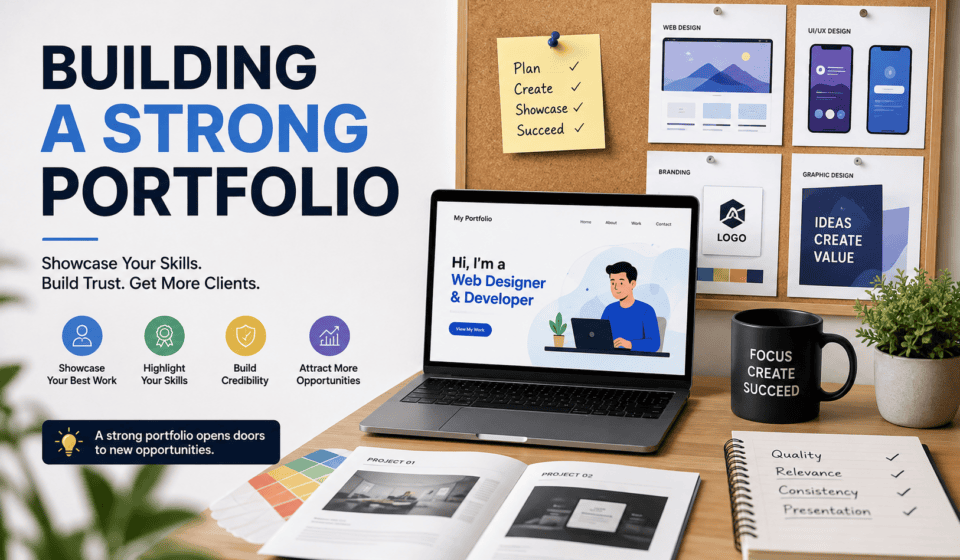

A strong portfolio is one of the most powerful tools you can have as a freelancer, web designer, digital marketer, developer, writer, graphic designer, or creative professional. It gives potential clients a clear picture of what you can do, how you work, and what kind of results you can deliver.
For beginners, creating a portfolio can feel difficult because you may think you need years of experience or dozens of completed projects. The truth is that you do not need a huge portfolio to get started. You need a strategic portfolio that demonstrates your skills, communicates your value, and builds trust.
Whether you are looking for your first freelance client or trying to attract higher-paying customers, learning how to build a strong portfolio can make a significant difference.
In this guide, you will learn what a portfolio is, why it matters, what to include, how to create portfolio projects without client experience, and how to make your portfolio stand out.
What Is a Professional Portfolio?
A professional portfolio is a collection of your best work that demonstrates your skills, experience, creativity, and capabilities.
Think of your portfolio as a visual résumé. While a résumé tells people what you have done, a portfolio can actually show them what you can do.
Depending on your profession, your portfolio might include:
- Website designs
- Graphic design projects
- Logo designs
- Marketing campaigns
- SEO projects
- Social media campaigns
- Blog articles
- Landing pages
- Branding projects
- Advertising examples
- Video projects
- Case studies
- UI/UX designs
- Coding projects
- Content writing samples
Your portfolio should focus on the type of work you want to get hired for.
For example, if you want to work as a freelance web designer, your portfolio should primarily showcase websites, landing pages, responsive designs, and UI/UX projects rather than unrelated work.
Why Is a Strong Portfolio Important?
A portfolio can help you establish credibility before you even speak with a potential client.
When someone considers hiring you, they usually have several questions:
- Can this person do the job?
- Have they created similar work before?
- Is their work professional?
- Do they understand my needs?
- Can I trust them?
- What kind of results can I expect?
A well-designed portfolio helps answer these questions.
1. It Demonstrates Your Skills
Instead of simply saying that you are good at web design, you can show examples of websites you have created.
Instead of saying that you understand digital marketing, you can present campaign examples, content strategies, SEO work, or marketing case studies.
Showing your skills is generally more persuasive than simply describing them.
2. It Builds Trust
Clients are more comfortable hiring someone when they can see evidence of their abilities.
A professional portfolio communicates that you take your work seriously and understand how to present yourself professionally.
3. It Helps You Stand Out
Freelance marketplaces and professional networks can be highly competitive.
Many freelancers have similar skills and qualifications. A strong portfolio gives potential clients another reason to choose you.
4. It Attracts Better Clients
A well-positioned portfolio can help you attract clients who specifically need your services.
For example, a web designer who specializes in small-business websites can create a portfolio focused on restaurants, consultants, coaches, local businesses, and service providers.
This makes it easier for potential clients to recognize that the freelancer is a good fit.
What Makes a Portfolio Strong?
A strong portfolio is not necessarily the one with the most projects.
Quality is more important than quantity.
Ten excellent projects are usually more valuable than fifty weak or unrelated examples.
Your portfolio should be:
- Relevant
- Professional
- Easy to navigate
- Visually appealing
- Focused
- Up to date
- Easy to understand
- Results-oriented
- Mobile-friendly
Every project should have a purpose.
Instead of uploading work without context, explain what the project was, what problem you solved, what you contributed, and what the result was.
Choose a Clear Niche
One of the first steps in building a strong portfolio is deciding what type of work you want to be known for.
You can have multiple skills, but your portfolio should still have a clear direction.
For example:
Web Designer
You could focus on:
- Business websites
- WordPress websites
- Landing pages
- E-commerce websites
- Responsive design
Digital Marketer
You could focus on:
- SEO
- Content marketing
- Social media marketing
- Google Ads
- Email marketing
Graphic Designer
You could focus on:
- Brand identity
- Social media graphics
- Marketing materials
- Logo design
- Advertising creatives
A niche helps potential clients understand your expertise quickly.
Select Your Best Work
Do not add every project you have ever completed.
Review your work and choose projects that demonstrate your strongest abilities.
For each project, ask yourself:
- Does this represent my current skill level?
- Is this the type of work I want more of?
- Does it demonstrate useful skills?
- Is the quality professional?
- Would I be comfortable showing this to a potential client?
If the answer is no, leave the project out.
Your portfolio should represent the quality of work you want clients to expect from you.
Create Portfolio Projects Without Client Experience
One of the biggest challenges beginners face is not having client projects.
Fortunately, you can create your own portfolio projects.
You do not need to wait for a real client before demonstrating your abilities.
Create Concept Projects
Suppose you want to become a web designer.
Create a fictional website for:
- A restaurant
- A fitness trainer
- A real estate agency
- A photography studio
- A consulting business
- A local service company
- An online course creator
Build the website as if you were working for a real client.
Then present it as a concept project.
Do not pretend that a fictional project was completed for a real customer. Clearly label it as a personal or concept project.
Redesign Existing Websites
Another useful exercise is creating redesign concepts.
Choose a website with outdated design and create your own improved version.
Explain what you changed and why.
For example:
Before: Poor mobile experience and confusing navigation.
Your solution: Simplified navigation, improved typography, stronger calls to action, and responsive layouts.
This demonstrates your problem-solving ability.
Create Sample Marketing Campaigns
Digital marketers can create hypothetical campaigns for fictional businesses.
You could create:
- Keyword research
- SEO strategies
- Social media calendars
- Blog content plans
- Email campaigns
- Advertising concepts
- Landing page strategies
Again, clearly identify the work as a sample or concept project.
Turn Projects Into Case Studies
A simple screenshot is useful, but a case study is much more powerful.
A case study explains the story behind the project.
A strong portfolio case study can include:
1. Project Overview
Explain what the project was.
2. The Problem
Describe the challenge that needed to be solved.
3. Your Approach
Explain how you approached the project.
4. The Process
Show important stages of your work.
5. The Solution
Explain what you created.
6. The Results
If you have real measurable results, include them.
For example:
- Increased website conversions
- Improved page speed
- Increased organic traffic
- Improved engagement
- Reduced bounce rate
- Increased leads
- Improved sales
Never invent results. If you do not have measurable data, explain the intended outcome instead.
Show Your Process
Clients often want to know more than what the final product looks like.
They want to understand how you think.
Showing your process can make your portfolio much more persuasive.
For a website project, your process might include:
- Research
- Client requirements
- Sitemap planning
- Wireframes
- Design
- Development
- Testing
- Launch
For a digital marketing project, your process could include:
- Business research
- Audience research
- Competitor analysis
- Keyword research
- Strategy development
- Content creation
- Campaign implementation
- Performance analysis
This demonstrates that you have a structured approach rather than simply producing a final result.
Write Strong Project Descriptions
Avoid descriptions such as:
“I created this website using WordPress.”
That does not tell a potential client much.
Instead, explain the objective and your contribution.
For example:
“I designed and developed a responsive WordPress website for a fictional consulting business, focusing on clear service presentation, mobile usability, lead generation, and strong calls to action.”
A good project description should answer three questions:
What was the project?
What did you do?
Why did it matter?
Include Client Testimonials
Testimonials can significantly strengthen your portfolio.
If you have worked with clients, ask satisfied customers for a short testimonial.
A useful testimonial can mention:
- Communication
- Quality of work
- Professionalism
- Reliability
- Problem-solving
- Results
Always ask permission before publishing a client’s name, company information, photograph, or other identifying details.
If you are a beginner without client testimonials, do not invent them.
Instead, focus on creating strong sample projects and building your first genuine client relationships.
Add a Professional About Section
Your portfolio should not only show your work. It should also tell visitors who you are.
Your About section should be concise and relevant.
Include:
- Your professional role
- Your main skills
- Your experience or training
- Your specialization
- Who you help
- What makes your approach different
For example:
“I am a freelance web designer and digital marketer specializing in WordPress websites, SEO, and conversion-focused digital experiences. I help small businesses, entrepreneurs, and personal brands build professional online presences.”
Keep the focus on how your skills can help the client.
Make Your Portfolio Easy to Navigate
A portfolio should not make visitors work to find your best projects.
Use simple navigation.
A basic portfolio menu might include:
- Home
- About
- Services
- Portfolio
- Case Studies
- Testimonials
- Blog
- Contact
Your portfolio page should make it easy to filter or browse projects if you have many examples.
For example:
Web Design | SEO | Digital Marketing | Branding
This helps visitors quickly find relevant work.
Optimize Your Portfolio for Mobile Devices
Many people browse websites from smartphones.
If your portfolio looks great on a desktop but breaks on mobile, you may lose potential clients.
Check:
- Font sizes
- Image sizes
- Navigation
- Buttons
- Spacing
- Page speed
- Contact forms
- Portfolio galleries
Your website should provide a smooth experience across desktop, tablet, and mobile devices.
Use High-Quality Images
Visual presentation matters, especially for designers and other creative professionals.
Use clear screenshots and high-quality project images.
However, avoid unnecessarily huge image files because they can slow down your website.
Optimize portfolio images before uploading them to WordPress.
Use descriptive file names and appropriate alternative text when relevant.
For example, instead of:
IMG1234.jpg
use something descriptive such as:
responsive-wordpress-business-website.jpg
Include a Clear Call to Action
Your portfolio should encourage visitors to take the next step.
Do not make potential clients guess what they should do.
Use clear calls to action such as:
- Hire Me
- Request a Quote
- Start a Project
- Book a Consultation
- Contact Me
- Get a Free Consultation
Place calls to action throughout your website, especially after important sections.
Make Your Contact Process Simple
If someone likes your work, contacting you should be easy.
Your contact page can include:
- Contact form
- Professional email
- Business social profiles
- Booking option
- Service information
Avoid asking for unnecessary information.
A simple form might request:
- Name
- Business or company
- Required service
- Project details
- Budget range
Make sure your contact information is accurate and regularly tested.
Optimize Your Portfolio for SEO
Your portfolio can also help people discover you through search engines.
Use relevant keywords naturally in:
- Page titles
- Headings
- Project descriptions
- Image alt text
- URLs
- Meta descriptions
- Blog content
For example, if you specialize in WordPress web design, you might create pages and content around terms such as:
- WordPress web designer
- Freelance WordPress designer
- Small business website design
- WordPress landing page design
- Responsive WordPress website
Avoid keyword stuffing. Your content should primarily be useful to human visitors.
Keep Your Portfolio Updated
A portfolio should evolve with your career.
As you complete better projects, replace weaker examples.
Review your portfolio every few months.
Ask:
- Are my best projects featured?
- Are my services still accurate?
- Is my information current?
- Are my links working?
- Are my screenshots up to date?
- Does the design still look professional?
- Are there outdated projects I should remove?
An updated portfolio signals that you are active and serious about your profession.
Common Portfolio Mistakes to Avoid
Too Many Projects
A large collection of mediocre projects can weaken your presentation.
Focus on quality.
Poor Design
If you are selling web design, your own portfolio needs to demonstrate good design.
No Explanation
Screenshots without context make it difficult for clients to understand your contribution.
Fake Experience
Never claim that concept work was completed for real clients.
Honesty builds long-term credibility.
No Contact Information
A potential client should never have to search for a way to contact you.
Slow Loading Pages
Large images, unnecessary plugins, and poorly optimized websites can create a poor experience.
Ignoring Mobile Users
Always test your portfolio on different screen sizes.
Focusing Only on Yourself
Your portfolio should explain not only what you do but also how your services can help clients solve problems.
A Simple Portfolio Structure for Beginners
If you are just starting, you do not need a complicated website.
A simple structure could be:
Homepage
Introduce yourself, your main service, and your value proposition.
About
Explain your background and skills.
Services
Describe what you offer.
Portfolio
Show your best projects.
Case Studies
Explain selected projects in greater detail.
Testimonials
Add genuine client feedback when available.
Blog
Publish useful content related to your expertise.
Contact
Give visitors a simple way to start a conversation.
This structure can grow as your career develops.
How Many Projects Should You Include?
There is no universal number.
For beginners, three to six strong projects can be enough to create a professional starting portfolio.
As you gain experience, you can expand it.
The important thing is that every project supports your professional positioning.
If you want to specialize in WordPress websites, having five excellent WordPress projects is more useful than displaying twenty unrelated designs.
Build a Portfolio That Sells Your Skills
A portfolio should not simply be an online gallery.
It should function as a sales tool.
Instead of asking only:
“What work should I show?”
also ask:
“What does a potential client need to know before hiring me?”
Your portfolio should communicate:
- What you do
- Who you help
- What problems you solve
- How you work
- What quality clients can expect
- What results you can provide
- How clients can contact you
When your portfolio answers these questions clearly, it becomes much more effective.
Final Thoughts
Building a strong portfolio is one of the most important steps for anyone starting or growing a freelance career.
You do not need hundreds of projects, years of experience, or famous clients to create a professional portfolio. You need a focused presentation of your best abilities.
Start with a few high-quality projects. If you do not have client work, create realistic concept projects and clearly identify them as such. Explain your process, highlight the problems you solved, use professional visuals, and make it easy for visitors to contact you.
As your experience grows, continue improving your portfolio.
Remember, your portfolio is not just a collection of your past work. It is a demonstration of the future work you want to be hired to do.
Build it strategically, keep it professional, update it regularly, and use it to communicate your value clearly.
The strongest portfolio is not necessarily the biggest one. It is the one that makes the right client think:
“This is the person I need for my project.”