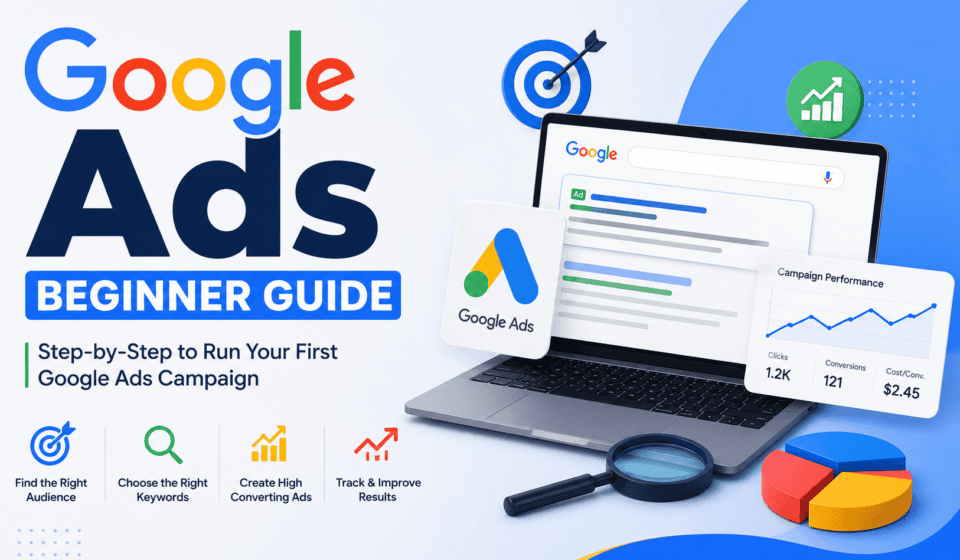

Google Ads is one of the most powerful online advertising platforms for businesses, freelancers, marketers, and entrepreneurs. It allows you to promote products and services to people who are actively searching for what you offer.
For example, if someone searches for “web designer in Bangladesh”, “best digital marketing course”, or “buy running shoes online,” Google Ads can help your business appear prominently in the search results.
However, Google Ads can seem complicated when you are just starting. There are campaigns, keywords, bidding strategies, ad groups, targeting options, conversion tracking, budgets, and many other settings to understand.
The good news is that you do not need to master everything at once.
This beginner’s guide explains the fundamentals of Google Ads, how it works, how to create your first campaign, how much it costs, and how to avoid common mistakes.
What Is Google Ads?
Google Ads is Google’s online advertising platform that businesses use to promote their products, services, websites, apps, and other offerings.
Advertisers can create different types of campaigns to reach potential customers across Google’s advertising network.
One of the most popular formats is Search Ads. These ads can appear when users search for specific keywords related to a business.
For example, imagine you provide WordPress website design services. You might target searches such as:
- WordPress web designer
- WordPress website development
- affordable website designer
- professional web designer
- website design services
When someone searches for one of these terms, your advertisement may appear if your campaign is eligible and competitive in the auction.
Google Ads can help businesses reach people at different stages of the buying journey, from people researching a solution to people who are ready to make a purchase.
How Does Google Ads Work?
Google Ads generally works through an advertising auction.
When someone performs a search that could trigger an advertisement, Google evaluates eligible ads and determines which ads can appear and in what order.
Several factors can influence ad placement, including your bid, ad quality, relevance, landing page experience, and other signals.
This means that simply paying more does not always guarantee the best position.
Google wants to provide users with useful and relevant results. Therefore, creating relevant ads and sending visitors to a useful landing page is an important part of successful advertising.
The basic process looks like this:
User searches on Google → Google evaluates eligible ads → Ads enter an auction → Relevant ads can appear → User clicks an ad → User visits your website → User may complete a conversion
A conversion could be a purchase, phone call, form submission, registration, appointment booking, or another valuable action.
Why Should Beginners Learn Google Ads?
Google Ads can be useful because it allows you to reach people who are already showing interest in a product, service, or topic.
Organic SEO can take time to produce significant traffic. Paid advertising can provide visibility much faster, provided the campaign is properly configured and funded.
Some important benefits include:
1. Reach High-Intent Customers
Search advertising is particularly powerful because users often search when they have a specific need.
Someone searching for “hire WordPress developer” may have much stronger commercial intent than someone casually browsing a website design article.
2. Control Your Budget
You can establish campaign budgets and adjust spending based on performance.
This makes Google Ads suitable for businesses of different sizes.
3. Measure Results
Google Ads provides performance information that can help you understand clicks, impressions, costs, conversions, and other important metrics.
4. Target Specific Audiences
Depending on the campaign type, you can target users based on factors such as location, language, search behavior, interests, and other available signals.
5. Test Different Strategies
You can test different keywords, advertisements, landing pages, offers, and targeting strategies to discover what works best.
Important Google Ads Terms Beginners Should Know
Before creating your first campaign, it is useful to understand some basic terminology.
Campaign
A campaign is a major organizational level in your Google Ads account.
A campaign typically contains settings such as budget, location targeting, bidding, and campaign type.
For example:
Campaign: WordPress Web Design Services
Ad Group
Ad groups help organize related keywords and advertisements within a campaign.
For example:
Campaign: Web Design Services
Ad Group 1: WordPress Web Design
Ad Group 2: Business Website Design
Ad Group 3: E-commerce Website Design
Keeping related keywords and ads together can make your campaigns easier to manage.
Keyword
A keyword is a word or phrase used to help determine when your search advertisement may be eligible to appear.
Examples include:
- digital marketing course
- Google Ads training
- WordPress designer
- SEO services
Keyword research is one of the most important parts of Search advertising.
Search Term
A search term is the actual phrase a user enters into Google.
The search term and the keyword you target are not necessarily identical.
Reviewing search terms can help you discover valuable searches and identify irrelevant traffic.
Impression
An impression occurs when your advertisement is shown to a user.
Click
A click occurs when someone selects your advertisement.
CTR
CTR means Click-Through Rate.
It measures the percentage of impressions that resulted in clicks.
A simple formula is:
CTR = Clicks ÷ Impressions × 100
For example, if your ad receives 50 clicks from 1,000 impressions:
CTR = 50 ÷ 1,000 × 100 = 5%
CPC
CPC means Cost Per Click.
It refers to how much you pay for a click, depending on your campaign and bidding setup.
Conversion
A conversion is a valuable action completed by a user.
Examples include:
- Buying a product
- Submitting a contact form
- Calling your business
- Booking an appointment
- Signing up for a course
- Downloading a resource
Conversion tracking is essential because clicks alone do not tell you whether your advertising is producing business results.
Types of Google Ads Campaigns
Google offers multiple campaign types. Beginners should understand the major categories.
Search Campaigns
Search campaigns allow businesses to show text-based advertisements when users search on Google.
They are often a good starting point for beginners because they can target people actively searching for relevant products or services.
Display Campaigns
Display advertising can show visual advertisements across websites, apps, and other placements within Google’s advertising network.
Display campaigns can be useful for awareness, remarketing, and reaching audiences beyond search.
Video Campaigns
Video advertising allows businesses to promote video content across Google’s video advertising ecosystem, including YouTube.
Video can be useful for brand awareness, education, demonstrations, testimonials, and product promotion.
Shopping Campaigns
Shopping campaigns are designed for retailers who want to promote products with information such as product images, prices, and store details.
App Campaigns
App campaigns can help businesses promote mobile applications and encourage actions such as installations or engagement.
Performance Max
Performance Max campaigns are designed to help advertisers access multiple Google advertising channels from a single campaign.
They can be useful for advertisers who want broader automated campaign optimization, although beginners should understand their goals, conversion tracking, assets, and reporting before relying heavily on automation.
How to Create Your First Google Ads Campaign
Now let’s look at a basic process for creating your first campaign.
Step 1: Create a Google Ads Account
Start by creating or accessing your Google Ads account.
Use accurate business information and make sure your billing details are configured correctly.
Step 2: Define Your Goal
Before creating an advertisement, decide what you want to achieve.
Your goal might be:
- Generate leads
- Sell products
- Receive phone calls
- Increase website traffic
- Get bookings
- Promote a service
A clear goal helps you select suitable campaign settings and conversion actions.
Step 3: Choose Your Campaign Type
For many beginners, a Search campaign is a straightforward place to learn the fundamentals.
Choose the campaign type that matches your marketing objective and audience.
Step 4: Set Your Location
Choose the geographic areas where you want to advertise.
For example, a local business might target:
Bogra, Bangladesh
A national business might target:
Bangladesh
An international business may target multiple countries.
Avoid targeting locations where you cannot realistically serve customers.
Step 5: Set Your Budget
Your daily budget determines approximately how much you are willing to spend on advertising.
Start with a manageable amount.
Do not spend a large budget before you understand your campaign’s performance.
A good beginner approach is to start small, collect data, analyze results, and increase spending when you find profitable opportunities.
Step 6: Conduct Keyword Research
Keyword research helps you identify what your potential customers search for.
Suppose you sell Google Ads training.
Potential keywords might include:
- Google Ads course
- Google Ads training
- learn Google Ads
- Google Ads beginner course
- digital marketing training
Think about the user’s intent behind each keyword.
Someone searching for “what is Google Ads” may be looking for information, while someone searching for “Google Ads course near me” may have stronger commercial intent.
Step 7: Organize Your Ad Groups
Group closely related keywords together.
Avoid putting hundreds of unrelated keywords into one ad group.
A more organized structure can make it easier to create relevant advertisements and analyze performance.
Step 8: Write Your Ads
Your advertisement should clearly communicate what you offer and why someone should choose you.
A strong search advertisement can include:
- Relevant keywords
- A clear benefit
- A compelling offer
- A call to action
- Trust-building information
For example:
Headline: Google Ads Training for Beginners
Headline: Learn Google Ads Step by Step
Description: Learn campaign setup, keyword research, targeting, ads, and conversion tracking. Start building practical Google Ads skills today.
Avoid making unrealistic claims or misleading promises.
Step 9: Create a Relevant Landing Page
Sending every visitor to your homepage is not always the best strategy.
If your advertisement promotes a Google Ads course, send users to a dedicated course page that explains the course, benefits, curriculum, instructor information, pricing, and registration process.
The landing page should match the advertisement.
A strong landing page should generally be:
- Mobile-friendly
- Fast-loading
- Easy to navigate
- Relevant to the advertisement
- Clear about the next action
- Trustworthy and professional
Step 10: Set Up Conversion Tracking
Conversion tracking helps you understand whether your advertisements are producing meaningful results.
For example, if you spend money on clicks but receive no leads, you need to know that before increasing your budget.
Track actions that matter to your business.
Examples include:
Lead generation: Form submissions
E-commerce: Purchases
Service business: Calls or appointment bookings
Course business: Registrations
Without reliable conversion data, optimization becomes much more difficult.
Google Ads Bidding Explained
Bidding determines how much you are willing to pay for advertising opportunities.
Google Ads offers different bidding approaches depending on campaign type and objective.
Some strategies focus on clicks, while others focus on conversions, conversion value, visibility, or other objectives.
Beginners should not choose a bidding strategy simply because it sounds advanced.
Instead, understand your objective first.
If your goal is lead generation, your strategy should ultimately help you generate valuable leads rather than simply maximize traffic.
As your account collects reliable conversion data, automated bidding can become increasingly useful.
What Is Quality Score?
Quality Score is a diagnostic metric associated with keywords in Google Search campaigns.
It considers factors related to:
- Expected click-through rate
- Ad relevance
- Landing page experience
It is generally reported on a scale from 1 to 10.
Improving relevance can help create a better advertising experience.
For example, if someone searches for “WordPress website design”, an advertisement specifically discussing WordPress website design is generally more relevant than a generic advertisement about unrelated marketing services.
Your keyword, ad message, and landing page should work together.
Common Google Ads Mistakes Beginners Make
Many new advertisers lose money because they launch campaigns without proper planning.
Here are some common mistakes to avoid.
1. Targeting Too Many Keywords
Adding hundreds or thousands of keywords immediately can make campaigns difficult to manage.
Start with a focused list of relevant keywords.
2. Ignoring Search Terms
Review the actual searches that triggered your ads.
You may discover irrelevant searches that consume your budget.
Use appropriate negative keywords and campaign settings to reduce unwanted traffic.
3. Sending Traffic to an Irrelevant Page
If the advertisement promises one thing but the landing page talks about something completely different, users may leave quickly.
Keep your ad and landing page closely aligned.
4. Focusing Only on Clicks
A large number of clicks does not necessarily mean a successful campaign.
The real question is:
What happened after the click?
Did the user buy something? Submit a form? Call your business?
Focus on business outcomes.
5. Changing Campaigns Too Frequently
Beginners sometimes make changes every few hours because they are nervous about performance.
Give your campaign enough time to collect useful data, while still monitoring it for major issues.
6. Starting With an Excessive Budget
You do not need a huge budget to learn.
Start with an amount you can afford, learn from the results, and scale carefully.
7. Forgetting Mobile Users
A significant amount of online traffic comes from mobile devices.
Make sure your landing page works properly on smartphones and tablets.
How to Optimize Google Ads Campaigns
Launching a campaign is only the beginning.
Successful advertisers continuously analyze and improve their campaigns.
Here are several areas to monitor.
Review CTR
A low CTR may indicate that your advertisement is not sufficiently relevant or compelling.
Test different headlines and descriptions.
Review Conversion Rate
If people click but rarely convert, investigate the landing page, offer, audience, keywords, and overall user experience.
Analyze Search Terms
Search-term data can reveal:
- New keyword opportunities
- Irrelevant searches
- Unexpected customer needs
- Potential negative keywords
Improve Landing Pages
Test different headlines, calls to action, layouts, offers, and trust elements.
Monitor Cost Per Conversion
Knowing how much you spend to generate a lead or sale can help you determine whether your campaign is financially sustainable.
Scale Carefully
When you find a campaign or keyword group that consistently produces valuable results, consider increasing the budget gradually.
Do not assume that doubling the budget will automatically double your results.
Google Ads vs. SEO
Google Ads and SEO are different but complementary marketing strategies.
Google Ads can provide paid visibility and faster traffic opportunities.
SEO focuses on improving organic search visibility and can generate traffic without paying for each click.
A strong digital marketing strategy may use both.
For example, you can use Google Ads to generate immediate traffic while developing SEO content that builds long-term organic visibility.
How Much Does Google Ads Cost?
There is no single fixed price for Google Ads.
The cost can vary depending on factors such as:
- Industry
- Competition
- Keywords
- Location
- Campaign type
- Audience
- Ad quality
- Bidding strategy
- Market demand
Some keywords can be relatively inexpensive, while highly competitive commercial keywords can be much more expensive.
The most important question is not simply “How cheap can I get clicks?”
Instead, ask:
“How much does it cost to acquire a valuable customer?”
For example, paying more for a click may be worthwhile if those clicks consistently generate profitable customers.
A Simple Google Ads Strategy for Beginners
If you are completely new to Google Ads, keep your first campaign simple.
A basic approach could look like this:
Goal: Generate leads
Campaign: Search
Location: Your service area
Keywords: Highly relevant commercial-intent keywords
Ad groups: Small, closely related keyword groups
Ads: Multiple relevant ad variations
Landing page: Dedicated service page
Conversion: Contact form or phone call
Budget: Start small
Optimization: Review performance regularly
This approach allows you to learn the fundamentals without making your account unnecessarily complicated.
Google Ads Tips for Beginners
Keep these principles in mind as you learn:
- Define your goal before creating your campaign.
- Research your customers and their search behavior.
- Use highly relevant keywords.
- Organize keywords into logical ad groups.
- Write advertisements that match search intent.
- Build relevant landing pages.
- Track conversions.
- Monitor search terms.
- Use negative keywords where appropriate.
- Test different advertisements.
- Watch your cost per conversion.
- Scale successful campaigns gradually.
- Avoid making unnecessary changes too frequently.
- Keep learning from your data.
- Focus on profitable business outcomes rather than vanity metrics.
Final Thoughts
Google Ads can be an extremely effective marketing platform, but successful advertising requires more than simply creating an advertisement and adding money to an account.
You need to understand your audience, research keywords, create relevant ads, build useful landing pages, track conversions, analyze performance, and continuously optimize your campaigns.
As a beginner, do not worry about learning every advanced Google Ads feature immediately.
Start with the fundamentals:
Goal → Audience → Keywords → Ads → Landing Page → Conversion Tracking → Optimization
Once you understand this process, you can gradually explore advanced targeting, automated bidding, remarketing, audience strategies, Performance Max, and other Google Ads features.
The most important lesson is to treat Google Ads as a data-driven marketing system.
Do not simply ask, “How many clicks did I get?”
Ask:
“Did these clicks produce valuable business results?”
That mindset will help you become a better Google Ads advertiser and digital marketer.
Whether you are a freelancer, business owner, student, or aspiring digital marketer, learning Google Ads can be a valuable skill. Start with a small, focused campaign, measure everything that matters, learn from your results, and improve step by step.