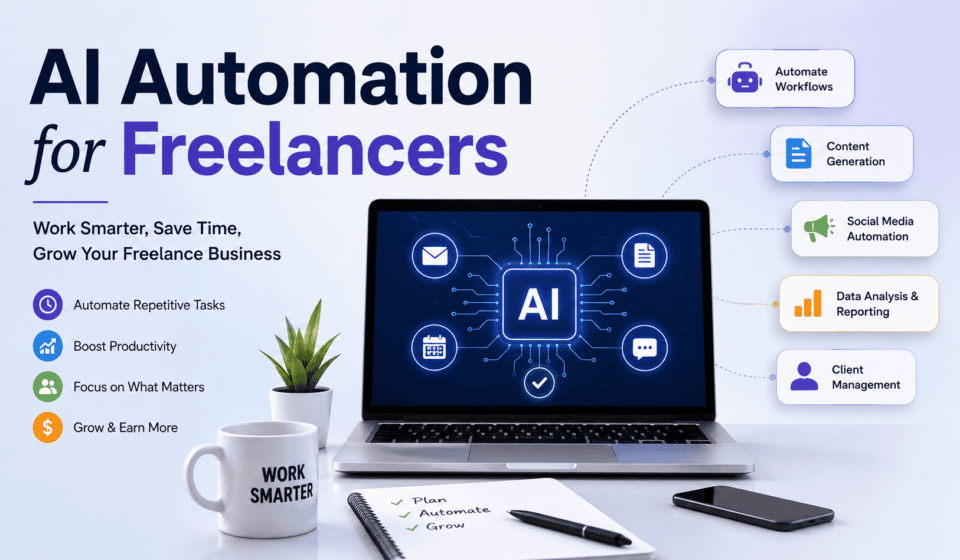

Freelancing gives you the freedom to choose your clients, set your schedule, and work from almost anywhere. But running a freelance business also means handling many tasks beyond the actual work you are paid to do. Finding clients, writing proposals, answering emails, managing projects, creating content, sending invoices, scheduling meetings, and following up with prospects can consume hours every week.
This is where AI automation for freelancers can make a major difference.
Artificial intelligence (AI) and automation tools can help freelancers reduce repetitive work, improve productivity, communicate faster, and create more time for high-value activities. Instead of manually completing the same tasks again and again, freelancers can build systems that allow technology to handle much of the routine work.
Whether you are a web designer, graphic designer, content writer, digital marketer, developer, video editor, virtual assistant, or consultant, AI automation can help you operate more efficiently and scale your freelance business.
What Is AI Automation for Freelancers?
AI automation combines artificial intelligence with automated workflows to complete tasks with minimal manual effort.
Traditional automation follows predefined rules. For example:
When a client submits a contact form → send an email notification.
AI automation can go further by understanding information, generating content, classifying requests, summarizing documents, and making recommendations.
For example:
When a potential client submits an inquiry → AI analyzes the message → identifies the client’s needs → creates a personalized response → adds the lead to a CRM → schedules a follow-up.
This can save freelancers significant amounts of time.
AI automation does not necessarily mean replacing human work. Instead, it allows freelancers to automate repetitive tasks while spending more time on strategy, creativity, communication, and client relationships.
Why Freelancers Should Use AI Automation
Freelancers often work alone, which means one person may have to perform the jobs of a salesperson, project manager, accountant, customer-support representative, marketer, and service provider.
This can quickly lead to burnout.
AI automation can help solve this problem by reducing the amount of repetitive administrative work.
1. Save Time
Time is one of the most valuable resources for a freelancer.
If you spend two hours every day responding to routine emails, creating reports, organizing files, and following up with leads, you may have much less time available for paid client work.
Automation can handle many of these repetitive activities.
For example, you can automate:
- Client onboarding emails
- Meeting reminders
- Follow-up messages
- Project notifications
- Invoice reminders
- Social media scheduling
- Lead organization
- Content drafts
- Meeting summaries
- Basic customer support
The time saved can be invested in getting clients, improving your skills, or completing projects.
2. Increase Productivity
Productivity is not simply about working more hours. It is about getting more valuable work done with the time available.
AI tools can help freelancers quickly generate ideas, summarize information, organize tasks, research topics, and prepare first drafts.
Instead of starting every task from scratch, you can use AI as an assistant.
For example, a freelance content writer could use AI to create a preliminary outline for an article. The writer can then research the subject, add expertise, verify information, and create the final content.
The freelancer remains responsible for quality while AI helps accelerate the initial work.
3. Respond to Clients Faster
Speed can influence whether you win or lose a freelance project.
A potential client may contact several freelancers at the same time. A fast, professional response can help you stand out.
AI automation can help acknowledge inquiries immediately.
For example:
New inquiry → AI identifies the service requested → automated system sends a personalized acknowledgment → lead is recorded → freelancer receives notification.
You can then personally follow up with the prospect.
4. Reduce Repetitive Work
Freelancers frequently repeat the same tasks.
A web designer may repeatedly send similar onboarding instructions. A digital marketer may create the same types of monthly reports. A writer may repeatedly format proposals and client questionnaires.
These tasks can often be standardized and automated.
The goal is not to automate everything. The goal is to identify repetitive processes that do not require your personal attention.
Best AI Automation Tasks for Freelancers
There are many ways freelancers can use AI automation. The best opportunities usually involve repetitive, predictable, or time-consuming activities.
1. Lead Generation Automation
Finding new clients is one of the biggest challenges for freelancers.
AI can help organize and qualify leads from different sources.
For example, you could create a workflow where new leads from a website form are automatically added to a spreadsheet or CRM. AI can then categorize them based on their service requirements, budget, industry, or project type.
A simple workflow might look like this:
Website form → Lead database → AI qualification → Notification → Follow-up
This allows you to focus on promising opportunities instead of manually organizing every inquiry.
2. Proposal Writing
Writing customized proposals can take considerable time.
AI can help create proposal drafts based on information about the client and project.
For example, you could provide:
- Client name
- Business type
- Project requirements
- Main problems
- Desired results
- Services you provide
- Estimated timeline
AI can use this information to create a customized proposal structure.
However, freelancers should always review AI-generated proposals before sending them. Personalization and accuracy are important when communicating with potential clients.
3. Email Automation
Email is one of the easiest areas to automate.
Freelancers can create automated sequences for:
- New inquiries
- Welcome messages
- Client onboarding
- Project updates
- Feedback requests
- Invoice reminders
- Follow-ups
- Testimonials
- Project completion
For example, after a client signs an agreement, an automated workflow could send a welcome email containing the next steps, required materials, project timeline, and contact information.
This creates a more professional client experience.
4. Client Onboarding
Client onboarding can involve several repetitive steps.
You may need to:
- Send a welcome email.
- Send a questionnaire.
- Request project files.
- Create a project folder.
- Create a project-management board.
- Schedule a kickoff meeting.
- Add deadlines to your calendar.
- Send payment information.
Many of these steps can be automated.
A well-designed onboarding workflow can make your freelance business appear more organized and professional.
5. Content Creation
Freelancers often need content to promote their services.
You may need to create:
- Blog posts
- Social media posts
- Email newsletters
- Video scripts
- LinkedIn posts
- Website copy
- Case studies
- Content ideas
AI can help with brainstorming, outlines, drafts, repurposing, and editing.
For example, one long blog post could be transformed into several social media posts, an email newsletter, short video ideas, and a LinkedIn article.
This allows freelancers to get more value from a single piece of content.
6. Social Media Automation
Building a personal brand can help freelancers attract clients.
However, consistently posting content can be difficult when you are busy with client projects.
AI can help generate content ideas and draft captions, while scheduling tools can publish approved content automatically.
A simple system might look like:
Content idea → AI draft → Human review → Scheduling → Automatic publishing
The human review step is important because your personal experience, expertise, and voice make your content more valuable.
7. Meeting Summaries
Client meetings can contain important information about requirements, deadlines, decisions, and responsibilities.
AI-powered meeting tools can summarize conversations and identify important action items.
Instead of manually writing notes during or after every meeting, you can use AI to create a summary and then review it for accuracy.
A useful meeting summary can include:
- Key discussion points
- Client requirements
- Decisions made
- Action items
- Deadlines
- Questions that remain unanswered
This can make project management much easier.
8. Project Management Automation
Freelancers often manage several projects simultaneously.
Automation can help move projects through predefined stages.
For example:
New project → Planning → In progress → Client review → Revisions → Completed
When a project moves to a new stage, an automation can notify the appropriate person, update the task list, or send a client message.
AI can also help prioritize tasks and summarize project information.
9. Invoice and Payment Reminders
Late payments can create cash-flow problems for freelancers.
Automated payment reminders can reduce the need to manually contact clients.
For example:
Invoice sent → Due date approaches → Automated reminder → Overdue notification
The messages should remain professional and appropriate for the client relationship.
Automation is particularly useful when you manage multiple clients and invoices.
10. Customer Support
Some client questions are repetitive.
You can create a knowledge base containing answers to common questions and use AI to help provide responses.
For example:
- What are your working hours?
- What services do you offer?
- How long does a project take?
- What information do you need to start?
- How does your revision process work?
- What payment methods do you accept?
AI can help answer basic questions while more complicated issues can be handled personally.
AI Automation Tools Freelancers Can Explore
The best tool depends on your workflow, budget, and services.
Common categories include:
AI Assistants
AI assistants can help with brainstorming, writing, summarization, research, planning, and other knowledge-based tasks.
Automation Platforms
Workflow automation platforms can connect different applications.
For example:
Form submission → Spreadsheet → AI processing → Email → Project-management system
CRM Systems
Customer relationship management tools can help organize leads, prospects, clients, communication, and sales activities.
Project Management Tools
These tools help freelancers organize tasks, deadlines, projects, and client collaboration.
Scheduling Tools
Scheduling automation can allow clients to choose available meeting times without long email exchanges.
Accounting and Invoicing Tools
These platforms can help manage invoices, payments, expenses, and financial records.
The important thing is not to use dozens of tools simply because they contain AI features. Choose tools based on the problems you actually need to solve.
How to Build an AI Automation System
You do not need to automate your entire freelance business at once.
Start with one repetitive process.
Step 1: Track Your Repetitive Tasks
For one week, write down tasks that you perform repeatedly.
Look for activities such as:
- Copying information between applications
- Sending repetitive emails
- Creating similar documents
- Scheduling meetings
- Organizing leads
- Preparing reports
- Updating project statuses
Step 2: Identify the Biggest Time Wasters
Not every task needs automation.
Choose tasks that are both repetitive and time-consuming.
For example, if you spend five minutes per week on a task, automating it may not be worthwhile.
But if you spend five hours every week on a repetitive process, automation could provide significant value.
Step 3: Create a Simple Workflow
Start with a basic trigger and action.
For example:
Trigger: New client submits a form.
Action: Add client information to your CRM.
Then add another step:
Action: Send a welcome email.
Once the system works reliably, you can introduce AI into the workflow.
Step 4: Add AI Where It Provides Real Value
AI is useful when a workflow needs interpretation or content generation.
For example:
New inquiry → AI reads inquiry → AI identifies service → AI categorizes lead → System sends appropriate response.
This is more powerful than simple automation because AI can work with less structured information.
Step 5: Test Everything
Never assume an automated system will always work correctly.
Test different scenarios.
Check:
- Emails
- AI-generated content
- Client information
- Notifications
- File transfers
- Deadlines
- Data accuracy
You should also maintain human oversight for important client communications and business decisions.
Common Mistakes to Avoid
AI automation can be extremely useful, but poor implementation can create new problems.
Automating Everything
Not every task should be automated.
Important client conversations, strategic decisions, creative direction, and relationship-building often require a human touch.
Sending Unreviewed AI Content
AI can make mistakes. Always review important proposals, emails, articles, reports, and client communications before sending or publishing them.
Using Too Many Tools
A complicated technology stack can become difficult to maintain.
Start with a small number of reliable tools and expand only when necessary.
Ignoring Data Privacy
Freelancers often handle client information, business documents, credentials, and other sensitive data.
Before connecting AI tools to client information, understand how the service handles data and what information you are permitted to upload or process.
Forgetting the Human Touch
Automation should make your business feel more efficient—not robotic.
Clients still want communication, understanding, creativity, and accountability from the freelancer they hire.
The Future of AI Automation for Freelancers
AI automation is likely to become increasingly important for independent professionals.
As AI systems become more capable, freelancers will be able to automate increasingly complex workflows.
The competitive advantage will not simply belong to freelancers who use AI.
It will belong to freelancers who know how to combine AI, automation, expertise, and human judgment effectively.
For example, a web designer could automate lead qualification, proposal preparation, client onboarding, project organization, content creation, and follow-ups while personally focusing on design strategy and client relationships.
A digital marketer could automate reporting, data summaries, content drafts, campaign monitoring, and routine communications while focusing on marketing strategy and business growth.
This creates a powerful combination: technology handles repetitive work while the freelancer focuses on high-value expertise.
Final Thoughts
AI automation for freelancers is not about working less seriously or replacing professional skills. It is about creating a smarter business system.
By automating repetitive activities such as lead management, email communication, proposals, onboarding, content creation, scheduling, project management, and reporting, freelancers can save valuable time and provide a better client experience.
The best approach is to start small.
Identify one repetitive task that consumes your time. Build a simple workflow around it. Test the process, measure the results, and then gradually automate other areas of your business.
Remember that AI should support your expertise—not replace it.
Freelancers who learn to use AI automation strategically can spend less time on repetitive administration and more time on what actually grows their business: serving clients, developing valuable skills, creating great work, building relationships, and finding new opportunities.
AI automation is becoming an important part of modern freelancing. The freelancers who learn how to use it effectively today can build more efficient, scalable, and competitive businesses for the future.