
Creating a professional website does not always require an expensive design software subscription or a large budget. Today, web designers, freelancers, students, developers, and business owners can access thousands of free web design resources that can help them create attractive, responsive, and user-friendly websites.
From free design tools and website templates to fonts, icons, stock photos, color palettes, UI kits, and learning materials, the internet provides everything you need to start designing websites without spending a lot of money.
Whether you are a beginner learning web design or an experienced designer looking for resources to speed up your workflow, knowing where to find high-quality free resources can save you time and improve your projects.
In this guide, we will explore some of the best free web design resources, explain how to use them effectively, and share tips for building a professional web design workflow.
What Are Free Web Design Resources?
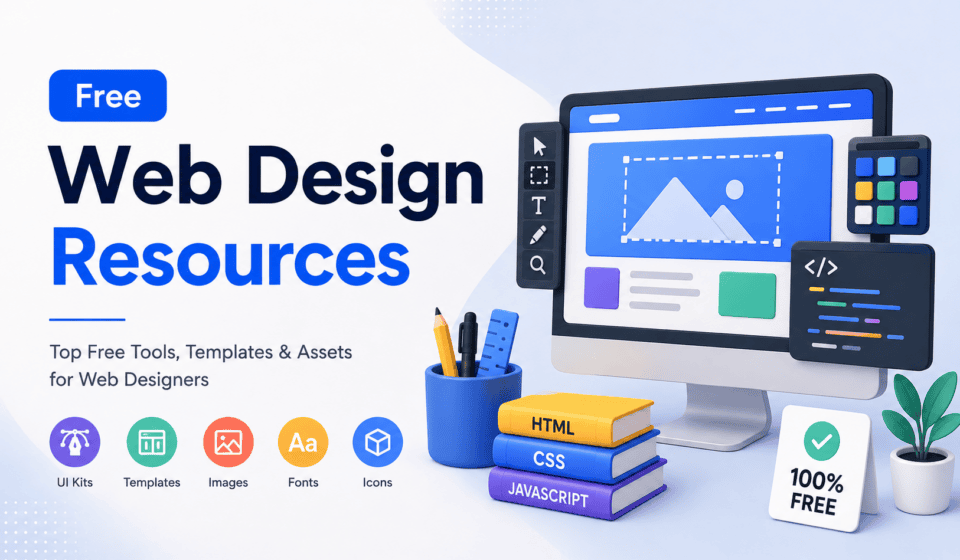
Free web design resources are tools, assets, templates, educational materials, and websites that help you design and develop websites without requiring an upfront payment.
These resources can include:
- Free web design software
- Website templates
- UI kits
- Wireframe templates
- Free fonts
- Icons
- Stock photos
- Illustrations
- Color palette generators
- CSS resources
- HTML templates
- Design inspiration
- Mockups
- WordPress resources
- UX/UI learning materials
- Web development tutorials
Using these resources does not mean your website will look cheap or unprofessional. In fact, many professional designers use free resources as part of their everyday workflow.
The important thing is knowing how to choose quality resources and customize them to fit your project’s goals.
Why Should Web Designers Use Free Resources?
One of the biggest advantages of free web design resources is accessibility.
If you are a beginner, you may not have the budget to purchase expensive design software, premium templates, stock images, or subscription-based tools. Free resources allow you to learn and experiment before investing in premium products.
1. Save Money
The most obvious benefit is cost savings. Instead of purchasing every design asset individually, you can use high-quality free alternatives.
This is especially useful for:
- Students
- Freelancers
- New web designers
- Small businesses
- Bloggers
- Startup founders
- Digital marketers
2. Learn Faster
Free templates and UI kits can help beginners understand how professional websites are structured.
By studying a template, you can learn about:
- Website layouts
- Typography
- Spacing
- Navigation
- Buttons
- Cards
- Responsive design
- Visual hierarchy
Instead of simply copying a design, analyze why different elements were placed where they are.
3. Speed Up Your Workflow
Experienced designers do not necessarily create every element from scratch.
Reusable components, templates, icons, fonts, and stock images can dramatically reduce production time.
For example, a designer can start with a wireframe kit, customize the layout, apply a brand’s colors and typography, and then create a unique final design.
4. Experiment With New Ideas
Free resources also make experimentation easier.
You can test different fonts, layouts, colors, illustrations, and interface styles without making a large financial investment.
This is particularly useful when learning new design techniques.
Best Free Web Design Resources
Let’s look at some of the most useful categories of free web design resources.
1. Figma
Figma is one of the most useful tools for modern web designers.
It can be used for creating wireframes, website layouts, UI designs, prototypes, design systems, and developer handoffs. Figma also provides free access through its Starter plan, while its Community contains templates, UI kits, plugins, and other resources.
Figma is particularly useful because designers can create responsive layouts and interactive prototypes before development begins.
What can you create with Figma?
- Website wireframes
- Landing pages
- Website prototypes
- Mobile interfaces
- UI components
- Design systems
- Website mockups
Figma Community is also useful for finding free templates and resources created by other designers.
Instead of starting every project with a blank canvas, you can use a suitable resource as a starting point and customize it.
2. Free Website Templates
Website templates are excellent resources for designers who want to save time.
A template provides a basic structure that can include:
- Header
- Navigation menu
- Hero section
- Services section
- About section
- Testimonials
- Contact section
- Footer
Templates can be particularly helpful for WordPress websites, portfolios, business websites, landing pages, and personal blogs.
However, avoid publishing a template exactly as downloaded. Customize the colors, typography, images, content, spacing, and layout so the website reflects the brand.
A template should be a starting point rather than the final product.
3. Google Fonts
Typography is one of the most important elements of web design.
A good font can improve readability, establish a visual personality, and make a website look more professional.
Google Fonts is a valuable resource for finding web fonts for website projects.
When selecting fonts, consider:
- Readability
- Font weight
- Letter spacing
- Heading styles
- Body text
- Brand personality
- Mobile readability
For most websites, using two or three font families is usually enough.
For example, you might use one font for headings and another for body text.
Avoid using too many different fonts because excessive font variation can make a website look inconsistent.
4. Free Stock Photos
High-quality images can make a major difference in web design.
Unsplash provides millions of free high-quality images that can be downloaded and used under its license.
You can find photographs for:
- Business websites
- Travel websites
- Blogs
- Technology websites
- Education websites
- Portfolio websites
- E-commerce designs
- Landing pages
When choosing images, don’t simply select the most attractive photograph.
Think about the purpose of the image.
For example, a technology company may benefit from clean images showing people working with technology, while a travel website may need destination photography.
Always check the applicable license and usage conditions before using any third-party asset, especially for commercial projects.
5. Free Icons
Icons can make website interfaces easier to understand.
They are commonly used for:
- Navigation
- Features
- Services
- Social media links
- Contact information
- Buttons
- Statistics
- Product features
Font Awesome is a popular icon library with a free collection of open-source icons. Its current version is Font Awesome 7, released in July 2026.
When using icons, consistency is important.
Do not mix five completely different icon styles on the same page. Choose a consistent visual style and use it throughout the interface.
6. Free UI Kits
UI kits contain reusable interface elements that designers can use to create websites and applications.
A UI kit may include:
- Buttons
- Forms
- Cards
- Navigation menus
- Modals
- Tables
- Pricing sections
- Login forms
- Profile sections
- Dashboard components
UI kits are especially helpful for beginners because they demonstrate how individual interface components can be designed consistently.
They can also speed up professional design projects.
7. Free Wireframe Resources
Before designing colors, images, and detailed components, it is often useful to create a wireframe.
A wireframe is a simplified representation of a webpage.
It focuses on structure rather than visual decoration.
A basic website wireframe might show:
Header → Hero → Features → About → Services → Testimonials → Call to Action → Footer
Wireframes help you determine whether the information architecture works before spending time on visual design.
Figma provides free layout templates and community resources that can help designers get started with grids, responsive layouts, and other structures.
8. Free Color Palette Tools
Choosing the right color combination can be challenging.
Free color tools can help designers create:
- Primary colors
- Secondary colors
- Accent colors
- Background colors
- Text colors
- Gradient combinations
When selecting colors, think about contrast and accessibility rather than aesthetics alone.
For example, light gray text on a white background may look attractive in a design file but become difficult to read on an actual website.
A good color system should make important elements easy to recognize.
Use your strongest accent color for important actions such as:
- Sign Up
- Buy Now
- Contact Us
- Get Started
- Download
9. Free Design Inspiration
Design inspiration is another valuable resource.
Studying professionally designed websites can help you understand current design patterns and discover new ideas.
When researching inspiration, pay attention to:
- Navigation
- Page structure
- Typography
- Color combinations
- Hero sections
- Calls to action
- Image placement
- Mobile layouts
- Animations
- White space
Do not simply copy another designer’s website.
Instead, identify the design principle behind an interesting section and adapt the concept to your own project.
Figma’s resource library also provides web design articles, examples, templates, and information about current design practices.
10. Free Mockups
Mockups allow you to present your website or design inside a realistic environment.
For example, you can display a website design on:
- Laptop screens
- Desktop monitors
- Smartphones
- Tablets
- Browser windows
Mockups are useful for portfolios and client presentations because they help clients visualize how the finished design may look.
However, remember that the mockup itself is not the website. A beautiful presentation cannot compensate for poor usability.
11. Free Illustrations
Illustrations can add personality to a website.
They are useful for:
- SaaS websites
- Startup websites
- Educational platforms
- Landing pages
- Blogs
- Technology websites
Illustrations can communicate ideas that are difficult to represent with traditional photography.
For example, instead of showing a generic photograph of someone using a laptop, an illustration can visually explain a specific process or concept.
12. Free HTML and CSS Resources
If you are learning web development alongside web design, free HTML and CSS resources can be extremely valuable.
HTML provides the structure of a webpage, while CSS controls its visual presentation.
Important HTML and CSS topics include:
- Semantic HTML
- CSS selectors
- Flexbox
- CSS Grid
- Responsive design
- Media queries
- Typography
- Spacing
- Positioning
- Animations
Learning these technologies helps designers understand what is technically possible when creating website layouts.
It also makes communication with developers much easier.
13. Free WordPress Resources
WordPress is widely used for blogs, business websites, portfolios, online stores, educational websites, and many other types of projects.
Free WordPress resources can include:
- Free themes
- Plugins
- Block patterns
- Page templates
- Tutorials
- Documentation
- Website optimization guides
Before installing a free plugin or theme, check whether it is actively maintained and compatible with your WordPress version.
Avoid installing dozens of unnecessary plugins. Too many plugins can increase complexity and create potential performance or compatibility problems.
14. Free UX Design Resources
Good web design is not only about making a website attractive.
It is also about making it easy to use.
UX resources can help you learn about:
- User research
- Information architecture
- User journeys
- Navigation
- Usability testing
- Accessibility
- Conversion optimization
- Interaction design
Figma provides free educational material designed to help people learn digital design fundamentals, including website and interface design.
UX knowledge can help you make better design decisions instead of designing based only on personal preference.
How to Organize Your Free Web Design Resources
Finding resources is easy.
Organizing them is harder.
Create folders for different categories such as:
01 – Fonts
02 – Icons
03 – Images
04 – UI Kits
05 – Templates
06 – Wireframes
07 – Illustrations
08 – Mockups
09 – WordPress
10 – Learning
This system can save you considerable time when working on future projects.
You can also maintain a spreadsheet containing useful resource websites, license information, resource type, and notes.
How to Choose High-Quality Free Resources
Not every free resource is worth using.
Before downloading anything, consider the following.
Check the License
Always check the license before using a resource for a commercial website.
“Free download” does not automatically mean “free for every type of use.”
Check Quality
Look at the resolution, file format, design quality, and compatibility with your project.
Check Updates
For software, plugins, templates, and code libraries, check whether the project is actively maintained.
Check Performance
Large images, unnecessary JavaScript, and poorly optimized assets can slow down a website.
Check Accessibility
Make sure your design works for users with different abilities.
Consider:
- Color contrast
- Text size
- Keyboard navigation
- Alternative text
- Clear labels
- Readable typography
Free Resources vs. Premium Resources
Free resources are excellent, but premium resources also have advantages.
Premium products may provide:
- More templates
- More design variations
- Dedicated support
- Advanced functionality
- Regular updates
- Exclusive assets
However, beginners should not feel pressured to purchase premium tools immediately.
You can build a strong foundation using free resources and invest in premium tools when they provide a clear business benefit.
The goal is not to collect the most resources.
The goal is to create better websites.
A Simple Free Web Design Workflow
If you are a beginner, you can build an effective workflow using mostly free resources.
Step 1: Research
Study competitors and collect design inspiration.
Step 2: Plan
Define the website’s purpose, audience, pages, and primary call to action.
Step 3: Wireframe
Create a basic layout using a free wireframe resource.
Step 4: Design
Use a tool such as Figma to create the visual design.
Step 5: Select Typography
Choose readable fonts and establish heading and body text styles.
Step 6: Choose Colors
Create a simple color system with primary, secondary, background, and accent colors.
Step 7: Add Images and Icons
Use appropriate free images, icons, and illustrations while checking their licenses.
Step 8: Make It Responsive
Design for desktop, tablet, and mobile devices.
Step 9: Test
Check navigation, forms, buttons, readability, performance, and accessibility.
Step 10: Publish and Improve
After launch, monitor how users interact with the website and continue improving it.
Tips for Beginners Using Free Web Design Resources
If you’re just starting your web design career, don’t try to download everything you find.
Instead, build a small collection of reliable resources.
Start with:
- One primary design tool
- One font library
- One image resource
- One icon library
- One wireframe resource
- One source of design inspiration
- One learning platform
Master these resources before adding more.
The biggest mistake beginners make is spending more time searching for resources than actually practicing design.
A designer’s skill does not come from having thousands of templates.
It comes from understanding design principles and knowing how to solve problems.
Final Thoughts
Free web design resources have made it easier than ever to learn web design and create professional websites.
From design platforms such as Figma to free fonts, icons, stock images, UI kits, wireframes, templates, and educational resources, beginners and experienced designers have access to a huge collection of tools that can improve their workflow.
The most important thing is to use these resources strategically.
Don’t simply download a template and publish it unchanged. Don’t add dozens of fonts and icons just because they are available. Don’t choose images only because they look attractive.
Instead, focus on the user.
Ask yourself:
Does this design solve a problem?
Is the information easy to understand?
Can users find what they need quickly?
Does the website work well on mobile devices?
Is the content readable and accessible?
When you combine high-quality free resources with strong design principles, you can create websites that are visually appealing, functional, fast, and user-friendly.
If you’re learning web design, start small. Choose a few reliable resources, practice regularly, build real projects, and gradually develop your own design system and workflow.
You don’t need an expensive collection of software to become a good web designer.
You need knowledge, creativity, practice, and the ability to use the right resources effectively.