
Artificial intelligence has completely changed the way people create digital images. A few years ago, creating a professional illustration, product image, marketing graphic, or realistic scene could require hours of work with Photoshop or other design software. Today, AI image generators can turn a simple text prompt into an impressive image within seconds.
Whether you are a web designer, digital marketer, blogger, content creator, business owner, freelancer, or social media manager, AI image generators can save time and help you produce professional-looking visual content without advanced graphic design skills.
But there are now dozens of AI image-generation tools available. Some are excellent for artistic images, while others are better for realistic photographs, logos, text-heavy graphics, marketing materials, or image editing.
In this guide, we’ll explore the best AI image generators in 2026, what each tool is best at, their advantages and disadvantages, and how to choose the right one for your needs.
What Is an AI Image Generator?
An AI image generator is a software tool that uses artificial intelligence to create images from instructions called prompts.
For example, you could type:
“A modern luxury office overlooking New York City at sunset, realistic photography, cinematic lighting.”
The AI analyzes your description and generates an image based on the instructions.
Modern image generators can do much more than simple text-to-image generation. Many can also:
- Edit existing images
- Remove objects
- Replace backgrounds
- Expand images
- Create different styles
- Generate illustrations
- Create product concepts
- Produce marketing graphics
- Add or interpret text
- Maintain characters across multiple images
- Transform one image into another style
The quality of AI-generated images has improved dramatically, but different tools still perform better for different tasks.
Best AI Image Generators at a Glance
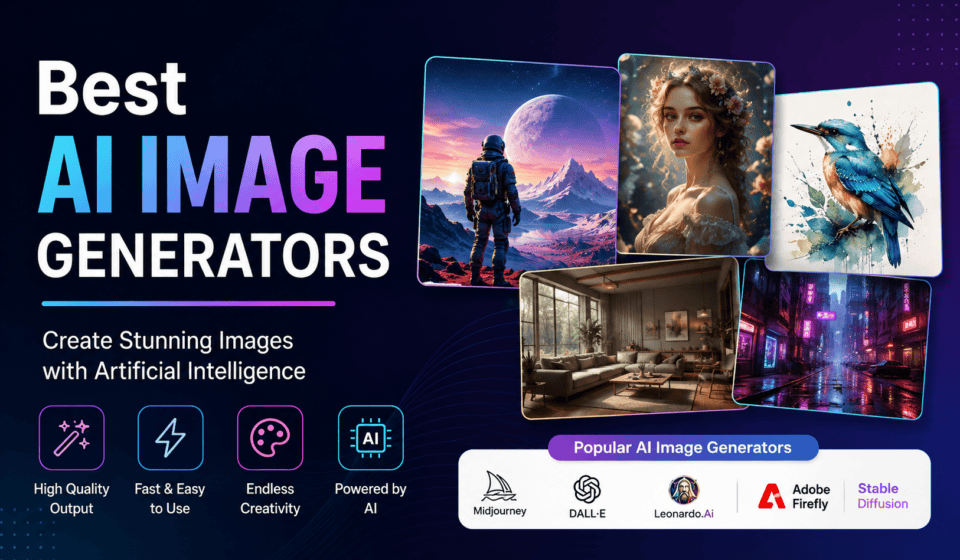
Here are some of the strongest options to consider in 2026:
| AI Image Generator | Best For |
|---|---|
| ChatGPT Images / GPT Image | Beginners, prompting and editing |
| Midjourney | Artistic and cinematic images |
| Adobe Firefly | Professional and commercial creative work |
| FLUX | Photorealism and advanced workflows |
| Ideogram | Text, posters and typography |
| Google Image Generation | Realistic images and conversational editing |
| Recraft | Branding, graphics and vector-style designs |
| Leonardo AI | Game art, concept art and creative assets |
| Stable Diffusion | Advanced customization and local generation |
There is no single tool that is perfect for everyone. The best option depends on what you want to create.
1. ChatGPT Images / GPT Image
Best for: Beginners, marketers, bloggers and conversational image creation
ChatGPT has become one of the easiest ways to create images using natural-language instructions. Instead of learning complicated controls, users can describe what they want and refine the result through conversation.
One of the biggest advantages is the ability to iterate using follow-up instructions.
For example, after generating an image, you can ask the AI to:
- Change the background
- Remove an object
- Change the clothing
- Adjust the lighting
- Change the composition
- Add or remove elements
- Create another variation
Current 2026 comparisons place GPT Image among the strongest general-purpose image-generation options, particularly for prompt understanding and conversational workflows.
Best uses
ChatGPT Images can be particularly useful for:
- Blog featured images
- Website graphics
- Social media posts
- Marketing concepts
- Illustrations
- Product concepts
- Educational graphics
- Presentation visuals
- Creative brainstorming
Pros
- Very easy to use
- Natural-language prompting
- Strong editing workflow
- Good for beginners
- Useful for marketers and content creators
Cons
- Advanced users may want more specialized controls
- Output availability and limits depend on the plan and current product configuration
Best choice if: You want an easy AI image generator that works naturally through conversation.
2. Midjourney
Best for: Artistic, cinematic and highly stylized images
Midjourney is one of the most recognized names in AI image generation. It has developed a strong reputation for producing visually impressive and artistic images.
It is particularly popular with:
- Digital artists
- Designers
- Concept artists
- Creative agencies
- Game designers
- Photographers
- Content creators
Midjourney is especially strong when you want an image with a distinctive visual style.
For example, you can generate:
- Cinematic landscapes
- Fantasy artwork
- Character concepts
- Fashion photography
- Architectural concepts
- Surreal artwork
- Movie-style scenes
Recent 2026 comparisons continue to rank Midjourney highly for artistic direction and visual aesthetics.
Pros
- Excellent artistic quality
- Strong cinematic results
- Great for concept art
- Huge creative potential
- Excellent visual styles
Cons
- Can require experimentation with prompts
- Some users may prefer simpler interfaces
- Not always the first choice for precise business graphics or typography
Best choice if: Your priority is beautiful, artistic and visually distinctive imagery.
3. Adobe Firefly
Best for: Designers, marketers and professional creative workflows
Adobe Firefly is designed to fit naturally into Adobe’s creative ecosystem.
This makes it especially attractive to people who already use tools such as Photoshop, Illustrator and other Adobe products.
Firefly can generate and edit images using AI while also providing features such as generative fill, generative expand and object removal.
Recent reviews highlight Firefly’s increasingly broad creative workflow, including image generation and editing capabilities.
Why professionals like Firefly
Adobe focuses heavily on professional creative workflows and responsible commercial use. This can make Firefly particularly interesting for businesses and agencies that need to consider licensing and content-production processes.
Best uses
- Advertising graphics
- Website designs
- Marketing campaigns
- Product concepts
- Social media graphics
- Photoshop workflows
- Creative brainstorming
- Commercial design projects
Pros
- Excellent integration with Adobe tools
- Strong editing capabilities
- Professional workflow
- Useful generative editing features
- Good choice for businesses
Cons
- Some advanced features require paid plans or credits
- Users outside the Adobe ecosystem may prefer simpler tools
Best choice if: You already use Adobe products or need AI integrated into a professional design workflow.
4. FLUX
Best for: Photorealistic images and advanced AI workflows
FLUX, developed by Black Forest Labs, has become an important name in the AI image-generation ecosystem.
It is particularly popular among advanced creators and developers who want high-quality image generation and more control over their workflows.
FLUX models are used through different platforms and interfaces, so the exact experience can vary depending on where you access the model.
What makes FLUX interesting?
FLUX is particularly strong for:
- Photorealistic scenes
- Product imagery
- Creative photography
- Detailed environments
- Character concepts
- Advanced generation workflows
Current 2026 comparisons continue to identify FLUX as a leading option for photorealism and advanced workflows.
Pros
- High-quality output
- Strong realism
- Excellent detail
- Useful for advanced users
- Flexible ecosystem
Cons
- Different versions and interfaces can be confusing
- Advanced workflows may have a learning curve
Best choice if: You want high-quality realistic images and are comfortable exploring more advanced AI workflows.
5. Ideogram
Best for: Text inside images, posters and typography
One of the biggest challenges for AI image generators has traditionally been creating accurate text inside images.
Ideogram has become particularly well known for handling text-heavy designs.
This makes it useful for creating:
- Posters
- Logos
- Social media graphics
- Advertisements
- Book covers
- Typography designs
- Promotional banners
- Quote graphics
Current comparisons frequently identify Ideogram as one of the strongest choices for text rendering and typography.
Example
Instead of generating a normal photograph, you might ask for:
“A modern coffee shop poster with the headline ‘Fresh Coffee Every Morning’, minimalist design, premium branding.”
Ideogram can be particularly useful when the exact words in the design are important.
Pros
- Strong text rendering
- Excellent for posters
- Useful for marketing graphics
- Good typography capabilities
- Easy for designers
Cons
- May not be the best choice for every type of artistic image
- Specialized rather than universal
Best choice if: Your image needs readable text, typography or poster-style design.
6. Google Image Generation
Best for: Realistic images and conversational editing
Google’s AI ecosystem has become another major competitor in image generation.
Google’s image-generation models are particularly interesting for users who want to combine image creation with conversational AI.
Current 2026 comparisons highlight Google’s newer image-generation capabilities for areas such as text rendering, image editing and character consistency.
Useful applications
Google’s image tools can be useful for:
- Marketing concepts
- Product imagery
- Realistic scenes
- Illustrations
- Educational content
- Social media visuals
- Creative brainstorming
Pros
- Strong prompt understanding
- Good realism
- Conversational workflow
- Useful editing capabilities
Cons
- Features and availability can vary by Google product and region
- Exact capabilities change quickly as models are updated
Best choice if: You already use Google’s AI ecosystem and want image generation combined with conversational assistance.
7. Recraft
Best for: Branding, graphic design and vector-style artwork
Recraft is particularly interesting for designers who need more than photographic images.
It focuses heavily on graphic design and brand-oriented content.
You can use it for:
- Logos
- Icons
- Illustrations
- Marketing graphics
- Posters
- Brand concepts
- Vector-style designs
- Website graphics
Current 2026 comparisons identify Recraft as a strong option when vector and brand-focused output is important.
Pros
- Excellent for graphic design
- Useful for branding
- Strong illustration capabilities
- Vector-oriented workflows
Cons
- Less focused on pure photorealistic photography
- Best suited to specific design workflows
Best choice if: You are a designer creating branding and graphic assets rather than only photographs.
8. Leonardo AI
Best for: Concept art, games and creative assets
Leonardo AI is popular among creators who need concept art and visual assets.
It can be useful for:
- Game development
- Character design
- Fantasy artwork
- Concept art
- Illustrations
- Storytelling
- Creative projects
Leonardo also provides workflows designed around creators who need repeated image generation and creative experimentation.
Pros
- Strong creative capabilities
- Good for concept art
- Useful for game designers
- Many creative workflows
Cons
- Some features may take time to learn
- The number of available options can be overwhelming for beginners
Best choice if: You create game assets, characters, illustrations or concept art.
9. Stable Diffusion
Best for: Advanced users, customization and local generation
Stable Diffusion remains important because of the amount of control available to advanced users.
Unlike simple online AI image generators, Stable Diffusion can be used in local and customized workflows depending on the model, hardware and licensing terms.
Advanced users can experiment with:
- Custom models
- LoRAs
- Control systems
- Custom workflows
- Character consistency
- Style customization
- Local image generation
This makes Stable Diffusion particularly attractive to technical creators.
Pros
- Highly customizable
- Large ecosystem
- Local-generation possibilities
- Advanced control
- Many community-developed workflows
Cons
- Steeper learning curve
- Hardware requirements for local use
- Licensing differs between models
Best choice if: You are an advanced user who wants maximum control over image generation.
How to Choose the Best AI Image Generator
The best AI image generator depends on your specific requirements.
For beginners
Choose ChatGPT Images or another simple conversational image tool.
You can describe what you want without learning complicated parameters.
For artistic images
Choose Midjourney.
It is particularly strong for cinematic, creative and stylized visuals.
For commercial design
Consider Adobe Firefly, especially if you already work with Adobe’s creative tools.
For realistic images
Consider FLUX or Google’s image-generation tools.
For text and posters
Choose Ideogram.
It is particularly useful when readable text is a central part of the design.
For logos and vector-style graphics
Consider Recraft.
For game and concept art
Consider Leonardo AI.
For advanced customization
Choose Stable Diffusion or a FLUX-based advanced workflow.
How to Write Better AI Image Prompts
The quality of your prompt can significantly influence the final image.
A useful prompt should explain several important elements.
1. Subject
Tell the AI what should appear in the image.
Example:
“A professional web designer working at a modern desk.”
2. Environment
Describe the location.
“In a modern home office with large windows.”
3. Style
Specify the visual style.
“Professional commercial photography.”
4. Lighting
Describe the lighting.
“Soft natural morning light.”
5. Composition
Explain how the image should be framed.
“Wide-angle composition with space on the right for website text.”
6. Aspect ratio
Specify the format when supported.
For example:
“16:9 horizontal website hero image.”
A detailed prompt usually gives the generator more information to work with than a very short description.
AI Image Generators for Bloggers and Website Owners
AI image generators can be especially valuable for bloggers.
Instead of searching for stock photos for every article, you can create custom visuals related specifically to your topic.
For example, if your article is about “Best AI Website Builders,” you could generate an image showing a laptop with multiple futuristic website interfaces.
For a post about “Digital Marketing Strategies,” you could create an illustration showing analytics dashboards, social media icons, advertising campaigns and SEO elements.
This can help make your website content more visually distinctive.
However, always review AI-generated images before publishing. AI systems can still produce strange anatomy, incorrect objects, misleading details or other visual errors. Research has shown that even advanced image generators can produce inaccuracies, particularly with specialized subjects.
Are AI-Generated Images Good for Business?
Yes, but businesses should use them carefully.
AI-generated visuals can be useful for:
- Blog posts
- Advertising concepts
- Social media
- Presentations
- Website designs
- Product concepts
- Marketing campaigns
- Educational content
However, businesses should check the terms and licensing conditions of the specific AI service and model before using generated content commercially.
This is especially important for:
- Client projects
- Advertising
- Product packaging
- Logos
- Trademark-related designs
- High-value commercial campaigns
Do not assume that every AI tool has identical commercial-use rights.
Advantages of AI Image Generators
AI image generators provide several major benefits.
Faster content creation
A concept that might take hours to create manually can often be generated in seconds.
Lower design costs
Small businesses and individuals can create visual concepts without hiring a designer for every small task.
Unlimited creative experimentation
You can test multiple ideas quickly.
Better content personalization
You can create images specifically for your website, audience or campaign.
Useful for non-designers
People without advanced Photoshop or Illustrator skills can create professional-looking concepts.
Limitations of AI Image Generators
AI image generation is powerful, but it isn’t perfect.
Common problems include:
- Incorrect hands or anatomy
- Strange text
- Inconsistent characters
- Incorrect logos
- Unrealistic objects
- Visual inaccuracies
- Licensing questions
- Difficulty reproducing exact designs
For important commercial content, human review remains essential.
AI should be treated as a creative assistant, not an automatic replacement for professional judgment.
Final Verdict: Which AI Image Generator Is Best?
There is no universal winner.
The right AI image generator depends on your project.
ChatGPT Images is an excellent choice for beginners, bloggers and marketers who want simple conversational creation and editing.
Midjourney is a strong choice for artistic and cinematic images.
Adobe Firefly is particularly attractive for professional creative workflows and Adobe users.
FLUX is excellent for realistic images and advanced workflows.
Ideogram stands out when accurate text inside images is important.
Google’s image-generation tools are worth considering for realistic images and conversational editing.
Recraft is useful for branding and vector-oriented design.
Leonardo AI is a strong option for concept art and game-related visuals.
Stable Diffusion remains attractive to advanced users who want customization and local workflows.
The most practical strategy is not necessarily to choose one tool and use it for everything. Many professional creators use different AI models for different jobs. Current community discussions also reflect this approach: creators often switch between tools depending on whether they need artistic quality, photorealism, typography, editing, or customization.
If you are a blogger, web designer or digital marketer, start with an easy-to-use generator such as ChatGPT Images, then experiment with Midjourney, Adobe Firefly, Ideogram and FLUX to discover which workflow produces the best results for your content.
The AI image-generation industry is evolving extremely quickly. New models and features can change rankings within months, so the “best” tool today may not remain the best tool tomorrow. Focus less on rankings and more on image quality, editing capabilities, commercial-use requirements, cost, speed and how well the tool fits your workflow.
Ultimately, the best AI image generator is the one that helps you turn your ideas into useful, high-quality visuals faster and more efficiently.