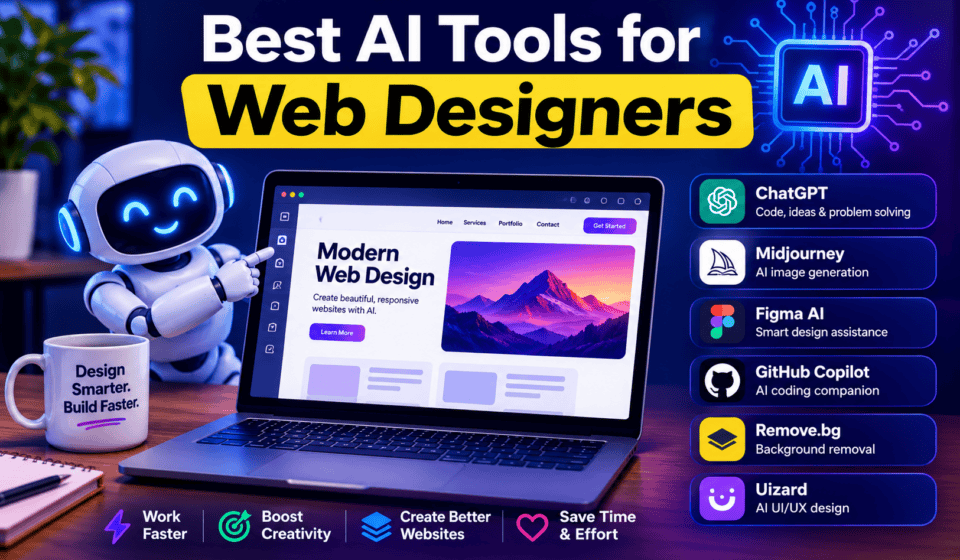

Artificial intelligence is changing the way websites are planned, designed, built, and optimized. For web designers, AI is no longer just a tool for generating text or creating images. Modern AI tools can help with wireframing, UI design, website layouts, content creation, image generation, prototyping, coding, and even publishing websites.
The best approach is not to let AI replace your creativity. Instead, use AI to automate repetitive tasks and speed up the parts of the web design process that normally take hours.
Whether you are a beginner, freelance web designer, UI/UX designer, WordPress professional, or agency owner, the right AI tools can help you complete projects faster while giving you more time to focus on strategy, user experience, branding, and client requirements.
In this guide, we’ll look at some of the best AI tools for web designers in 2026, what each tool does best, and how you can include AI in your everyday web design workflow.
What Are AI Tools for Web Designers?
AI web design tools use artificial intelligence to assist with tasks such as generating website layouts, creating UI concepts, writing website copy, producing images, creating prototypes, generating code, and improving existing designs.
Instead of starting every project with a completely blank canvas, designers can provide AI with a description, prompt, screenshot, sketch, or existing design and use the generated result as a starting point.
For example, you could give an AI tool a prompt such as:
“Create a modern landing page for a digital marketing agency targeting small businesses in the United States.”
The tool may generate a page structure, headings, sections, visual direction, or even an editable website.
The important point is that AI-generated output should be treated as a starting point, not necessarily the finished product.
Why Should Web Designers Use AI?
AI can improve almost every stage of a web design project.
Some of the biggest benefits include:
- Faster website ideation
- Quick wireframe generation
- Faster UI prototyping
- AI-generated website copy
- Image and graphic creation
- Faster coding
- Easier design variations
- Automated repetitive tasks
- Better productivity
- Faster client presentations
- More opportunities to experiment with different ideas
However, good web design still requires human judgment.
AI may generate a visually attractive website that has poor navigation, confusing content, weak accessibility, or an ineffective conversion strategy. A professional designer needs to evaluate and improve the result.
1. Figma AI — Best for UI and Web Design
Figma AI is one of the most useful AI options for designers who already use Figma.
Figma has introduced AI-powered workflows that can help designers explore ideas, generate and refine designs, edit images, and move from design concepts toward working prototypes. Figma Make can also generate website layouts and interfaces from natural-language prompts.
What can you use Figma AI for?
Web designers can use it for:
- Website layout exploration
- UI generation
- Prototyping
- Design variations
- Image editing
- Design refinement
- Component-related workflows
- Early-stage product exploration
One major advantage is that the AI functionality exists inside a design environment that many professional designers already use.
Best for
Professional UI/UX designers, product designers, and web design teams.
If your workflow already revolves around Figma, AI can reduce repetitive work without forcing you to completely change your design process.
2. Framer AI — Best for AI Website Creation
Framer AI is particularly interesting for designers who want to go from an idea to a working website quickly.
Framer allows users to describe a website or page and have AI generate editable pages, sections, copy, and visuals. Designers can then refine layouts, typography, spacing, responsive behavior, and other details directly on the canvas.
This makes Framer useful for both experimentation and production websites.
What can you create with Framer AI?
You can use it for:
- Landing pages
- Business websites
- Portfolio websites
- Marketing websites
- Startup websites
- Blog structures
- Website sections
- Responsive layouts
The major advantage is editability. Instead of receiving only a static AI-generated image, you can continue working with the generated website.
Best for
Freelance web designers, agencies, startups, and designers who want to publish websites quickly.
3. Relume — Best for Sitemaps and Wireframes
Relume is an excellent choice for the early stages of website projects.
Before designing a beautiful homepage, you need to understand the website’s structure. Relume’s AI can help generate a sitemap, page structures, content outlines, components, and suggested copy from a website brief.
This is especially useful when a client gives you a vague project description.
For example, you can start with information about:
- The business
- Target audience
- Website goals
- Important pages
- Services
- Conversion goals
AI can then help transform that information into a structured website plan.
Best for
Website planning, UX designers, agencies, and freelancers.
A good workflow is:
Client brief → AI sitemap → Page structure → Wireframe → Visual design → Development
This can save significant time during the planning stage.
4. Adobe Firefly — Best for AI Images and Visual Assets
Adobe Firefly is designed for generative creative work and is especially useful for designers who already use Adobe’s creative ecosystem.
Firefly can be used for generating and editing visual assets. Adobe has also expanded Firefly with tools for image, video, audio, and creative ideation workflows.
Web designers can use it to create visual concepts for:
- Hero sections
- Website banners
- Blog featured images
- Background graphics
- Marketing campaigns
- Product concepts
- Social media graphics
- Creative mockups
Instead of searching through stock-image websites for hours, you can create a visual concept based on your project’s requirements.
Best for
Web designers, graphic designers, agencies, and Adobe Creative Cloud users.
Remember to review licensing and usage terms for the specific assets and workflows you use, particularly for commercial client projects.
5. Canva AI — Best for Quick Marketing Designs
Canva is already popular among marketers and designers, and its AI capabilities have expanded considerably.
Canva AI 2.0 is designed around conversational and agentic creation, with AI-generated editable, layered design output and workflows spanning design, content, research, brand intelligence, and more.
For web designers, Canva can be useful when a project also requires marketing materials.
For example, after designing a website, you may need:
- Facebook graphics
- Instagram posts
- LinkedIn graphics
- YouTube thumbnails
- Presentation slides
- Advertisements
- Blog graphics
- Promotional banners
Using one ecosystem for these supporting assets can make your workflow more efficient.
Best for
Freelancers, marketers, small businesses, and web designers who create website-related marketing materials.
6. ChatGPT — Best AI Assistant for Web Designers
ChatGPT can act as a general-purpose assistant throughout the web design process.
It can help with brainstorming, writing, planning, coding, image analysis, file analysis, and many other tasks.
For web designers, one of the biggest advantages is flexibility.
You can ask ChatGPT to help you:
- Brainstorm website ideas
- Create website structures
- Write homepage copy
- Generate headlines
- Create calls to action
- Develop buyer personas
- Create FAQ sections
- Write meta descriptions
- Generate CSS
- Explain HTML
- Debug code
- Create JavaScript
- Review website copy
- Improve UX content
- Create SEO content outlines
You can also use it for brainstorming before opening your design software. OpenAI describes ChatGPT as a tool for generating ideas, organizing thinking, and turning rough directions into actionable plans.
Example prompt
“Create a homepage structure for a freelance web designer targeting small businesses. Include the hero section, services, portfolio, testimonials, process, pricing, FAQ, and contact section.”
You can then take the output and turn it into a wireframe or visual design.
Best for
Almost every web designer, especially freelancers and beginners.
7. Uizard — Best for AI Wireframes and Prototypes
Uizard is designed specifically around UI and UX design.
Its AI features can generate editable, multi-screen designs from text prompts. It can also transform screenshots and hand-drawn wireframes into editable designs.
This can be extremely useful when a client has an idea but cannot explain it visually.
You can create a rough sketch on paper, scan it, and use AI to turn that concept into a digital design.
Useful Uizard features include:
- AI UI generation
- Multi-screen mockups
- Screenshot-to-design conversion
- Wireframe scanning
- Prototyping
- UI themes
- Collaborative design
- AI-generated interface copy
Best for
Beginners, freelancers, UX designers, and teams that need to prototype ideas quickly.
8. Cursor — Best for AI-Assisted Web Development
Cursor is an AI-powered coding environment that can help developers build and modify software using AI agents.
Although Cursor is more development-focused than traditional design tools, it can be extremely valuable for web designers who also work with code.
For example, you can use AI assistance to work on:
- HTML
- CSS
- JavaScript
- React
- Components
- Website interactions
- Responsive behavior
- Front-end improvements
This is particularly useful when you design a website yourself and then need to turn your design into functional code.
Best for
Web designers who know HTML, CSS, JavaScript, React, or other development technologies.
9. AI Image Generation in ChatGPT — Best for Custom Website Visuals
Modern AI image generation can dramatically change how web designers approach visual assets.
ChatGPT can generate original images from natural-language prompts and allows designers to iterate on composition, size, and visual direction.
This can help when you need a custom visual but cannot find the right stock image.
For example, you could request:
“Create a modern professional image showing a freelance web designer working on a laptop in a minimalist studio, suitable for a website hero section.”
You can then create variations and choose a visual direction that fits the website’s branding.
Best for
Hero images, blog graphics, concept images, illustrations, and creative exploration.
10. AI-Powered Website Builders
AI website builders are becoming increasingly useful for people who want to turn a description into an initial website.
Tools such as Framer and other AI-focused website builders can help generate page structures, content, layouts, and visual directions from prompts.
However, professional web designers should not simply publish the first AI-generated result.
A good website still needs:
- Brand consistency
- Strong typography
- Good spacing
- Mobile responsiveness
- Accessibility
- SEO
- Clear navigation
- Fast loading
- Conversion-focused content
- Human review
AI can create the first draft. Your job is to turn that draft into a professional website.
How to Use AI in Your Web Design Workflow
The biggest productivity improvement comes from combining several AI tools rather than depending on one tool for everything.
Here is a practical AI-powered workflow.
Step 1: Research and Strategy
Use ChatGPT to analyze the target audience, generate website goals, brainstorm positioning, and create a project brief.
Step 2: Create the Sitemap
Use Relume to turn the project brief into a logical website structure.
Step 3: Generate Wireframes
Use Uizard or Figma to create initial wireframes and explore different layouts.
Step 4: Develop the Visual Direction
Use Figma AI, Canva, or Adobe Firefly to explore typography, graphics, images, and visual concepts.
Step 5: Build the Website
Use Framer or your preferred development platform to transform the design into a working website.
If you work with code, Cursor can assist with development and implementation.
Step 6: Create Content
Use ChatGPT to create and refine headlines, page copy, FAQs, calls to action, and SEO content.
Always review AI-generated content and add real information, expertise, examples, and brand personality.
Step 7: Test Everything
AI does not replace usability testing.
Check:
- Mobile responsiveness
- Navigation
- Forms
- Buttons
- Page speed
- Accessibility
- Typography
- Image quality
- SEO
- Broken links
- Browser compatibility
Step 8: Human Optimization
This is one of the most important steps.
Don’t publish an AI-generated website without reviewing it.
Ask:
Does this website actually solve the visitor’s problem?
Is the next action obvious?
Does the design match the brand?
Does the content sound human?
Would a real customer trust this website?
How to Choose the Best AI Tool for Web Design
There is no single AI tool that is best for every designer.
Your choice should depend on what you need.
| Your Need | Recommended Tool |
|---|---|
| UI design | Figma AI |
| Website generation | Framer AI |
| Sitemap planning | Relume |
| Wireframes | Uizard |
| AI images | Adobe Firefly |
| Marketing graphics | Canva |
| Writing and brainstorming | ChatGPT |
| AI-assisted coding | Cursor |
| Rapid prototyping | Uizard / Figma |
| Complete AI workflow | Combination of several tools |
Instead of asking, “Which AI tool is the best?” ask:
“Which AI tool is best for this particular stage of my project?”
That mindset will help you build a much more efficient workflow.
Will AI Replace Web Designers?
AI is likely to change the role of web designers, but that does not mean professional designers are no longer valuable.
AI is very good at generating possibilities. Human designers are still responsible for understanding people, businesses, brands, goals, and context.
A client does not simply need a page containing a hero section, three cards, and a contact form.
They need a website that achieves a business objective.
That requires:
- Strategy
- Creativity
- UX knowledge
- Visual judgment
- Communication
- Branding
- Conversion optimization
- Problem solving
AI can accelerate these processes, but designers still need to make the important decisions.
In fact, designers who learn to work effectively with AI may have an advantage over designers who refuse to use it.
Best AI Tools for Beginner Web Designers
If you are just starting web design, you do not need ten different subscriptions.
Start with a simple toolkit.
A beginner-friendly combination could be:
ChatGPT + Figma + Canva + Framer
Use ChatGPT for research, brainstorming, content, and learning.
Use Figma for UI design and prototyping.
Use Canva for marketing graphics and quick visual assets.
Use Framer when you want to turn a design concept into a live website.
As your skills improve, you can add tools such as Relume, Uizard, Adobe Firefly, and Cursor.
Final Thoughts
AI is becoming an important part of modern web design.
The best AI tools for web designers can help you move from an idea to a finished website faster by assisting with research, planning, wireframes, UI design, content, images, coding, and publishing.
Tools such as Figma AI, Framer AI, Relume, Adobe Firefly, Canva AI, ChatGPT, Uizard, and Cursor each solve different parts of the web design process.
But the most effective designers will not simply ask AI to “build a website.”
They will use AI strategically.
They will generate multiple ideas, evaluate the results, improve the user experience, apply brand guidelines, write better content, test the website, and make the final decisions themselves.
The future of web design is therefore not simply AI versus designers.
It is designers using AI to become faster, more creative, and more productive.
If you are a web designer, freelancer, student, or agency owner, now is a good time to start experimenting with AI tools and build your own AI-powered web design workflow.
Frequently Asked Questions
What is the best AI tool for web designers?
There is no single best tool for every project. Figma AI is strong for UI design, Framer AI is useful for AI-assisted website creation, Relume is excellent for website planning, Uizard is useful for wireframes and prototypes, and ChatGPT is a versatile assistant for research, content, brainstorming, and coding.
Can AI create an entire website?
Yes, AI-powered website tools can generate substantial parts of a website from prompts. However, professional designers should review and customize the generated result for branding, usability, accessibility, SEO, performance, and conversion goals.
Is AI useful for beginner web designers?
Yes. AI can help beginners learn design concepts, brainstorm layouts, generate wireframes, write content, understand code, and experiment with different ideas. Beginners should use AI as a learning and productivity assistant rather than relying on it without understanding basic web design principles.
Will AI replace web designers?
AI will automate many repetitive design and development tasks, but successful websites still require strategy, creativity, UX thinking, business understanding, and human judgment. Designers who learn how to use AI effectively can become more productive and competitive.
Which AI tools should a freelance web designer learn first?
A practical starting combination is ChatGPT for planning and content, Figma for UI design, Canva for supporting graphics, and Framer for building and publishing websites. As your skills grow, you can add specialized tools such as Relume, Uizard, Adobe Firefly, and Cursor.