What Is Web Design? A Complete Beginner’s Guide
In today’s digital world, websites have become an essential part of our daily lives. Whether you want to start an online business, create a personal portfolio, launch a blog, or promote your services, having a well-designed website is crucial. However, many beginners often ask the same question: What is web design?
Web design is much more than simply creating attractive pages. It involves planning, designing, and organizing the visual elements and functionality of a website to provide users with the best possible experience.
This beginner’s guide will explain everything you need to know about web design, including its definition, importance, principles, tools, and career opportunities.
What Is Web Design?
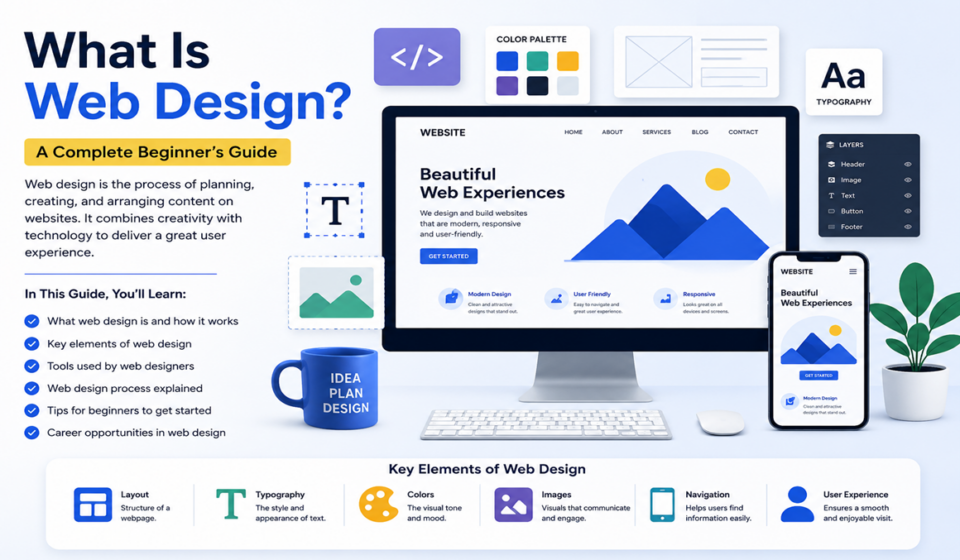
Web design is the process of creating the layout, appearance, and user experience of a website. It includes everything from choosing colors and fonts to organizing content, designing navigation menus, and ensuring that the website works properly on different devices.
A web designer focuses on how users interact with a website and aims to create a visually appealing and user-friendly experience.
Web design combines several disciplines, including:
- Graphic design
- User interface (UI) design
- User experience (UX) design
- Typography
- Color theory
- Responsive design
- Website structure
- Content organization
The main goal of web design is to create websites that are attractive, functional, and easy to use.
Why Is Web Design Important?
A website is often the first impression customers have of a business. Good web design helps build trust and encourages visitors to stay longer.
Here are some reasons why web design is important:
1. Creates a Strong First Impression
Visitors usually decide within seconds whether they want to stay on a website or leave. A professional design creates a positive first impression.
2. Improves User Experience
Good design makes it easier for users to navigate the website and find information quickly.
3. Builds Trust and Credibility
A modern and professional website increases credibility and makes users more likely to trust your brand.
4. Helps SEO Performance
Search engines prefer websites that are fast, mobile-friendly, and easy to navigate.
5. Increases Conversions
A well-designed website can encourage visitors to sign up, purchase products, or contact your business.
Key Elements of Web Design
Understanding the essential elements of web design is important for beginners.
Layout
The layout determines how content is organized on a webpage. A good layout guides users naturally through the content.
Common layouts include:
- Single-column layout
- Multi-column layout
- Grid layout
- Magazine layout
- Full-screen layout
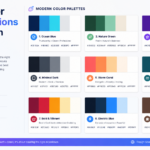
Color Scheme
Colors influence emotions and affect how users perceive a website.
For example:
- Blue represents trust and professionalism.
- Green symbolizes growth and nature.
- Red creates excitement and urgency.
- Black represents elegance and sophistication.
A website should use consistent colors that match the brand identity.
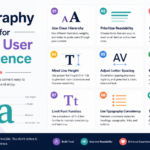
Typography
Typography refers to the style and appearance of text on a website.
Good typography improves readability by considering:
- Font size
- Font family
- Line spacing
- Font weight
- Text alignment
Popular fonts include:
- Roboto
- Open Sans
- Poppins
- Montserrat
- Lato
Images and Graphics
High-quality images make websites more attractive and engaging.
Common visual elements include:
- Photos
- Icons
- Illustrations
- Infographics
- Animations
Visual elements should support the content rather than distract users.
Navigation
Navigation helps visitors move around the website.
Good navigation should be:
- Clear
- Simple
- Consistent
- Easy to use
Common navigation menus include:
- Top navigation bar
- Sidebar menu
- Hamburger menu
- Footer menu
White Space
White space is the empty area between elements.
Proper use of white space improves:
- Readability
- Focus
- Organization
- User experience
Many beginners make the mistake of overcrowding pages with too much content.
Types of Web Design
There are different types of web design approaches.
Static Web Design
Static websites display the same content to every visitor.
Advantages:
- Fast loading speed
- Easy to host
- Simple structure
Disadvantages:
- Difficult to update
- Limited functionality
Dynamic Web Design
Dynamic websites generate content automatically and can display different information to different users.
Examples include:
- E-commerce websites
- Social media platforms
- News websites
- Membership websites
Advantages:
- Interactive
- Easy to update
- Scalable
Disadvantages:
- More complex
- Requires databases
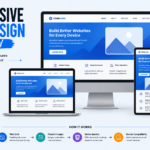
Responsive Web Design
Responsive web design ensures that websites adapt to different screen sizes.
A responsive website works smoothly on:
- Desktop computers
- Tablets
- Smartphones
- Laptops
Responsive design is essential because most internet users browse on mobile devices.
Difference Between Web Design and Web Development
Many beginners confuse web design with web development.
Web Design
Web design focuses on:
- Appearance
- User experience
- Layout
- Colors
- Typography
Web Development
Web development focuses on:
- Coding
- Website functionality
- Databases
- Server management
- Programming
In simple terms, web designers create how a website looks, while developers create how it works.
Essential Skills Every Web Designer Needs
If you want to become a web designer, you should learn the following skills.
1. Basic HTML
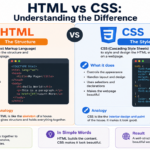
HTML is the foundation of every website.
HTML is used to create:
- Headings
- Paragraphs
- Images
- Buttons
- Links
2. CSS
CSS controls the appearance of websites.
It is used for:
- Colors
- Layouts
- Fonts
- Animations
- Spacing
3. Basic JavaScript
JavaScript adds interactivity.
Examples include:
- Sliders
- Pop-ups
- Forms
- Menus
- Animations
4. UI and UX Design
Understanding user behavior is essential for creating effective websites.
UI focuses on visual design, while UX focuses on user satisfaction.
5. Responsive Design
A web designer must ensure that websites work perfectly on all devices.
6. SEO Knowledge
Basic SEO helps designers create search-engine-friendly websites.
SEO-friendly websites include:
- Fast loading speed
- Mobile optimization
- Proper heading structure
- Optimized images
- Clean URLs
Popular Web Design Tools
Professional web designers use many tools to create websites.
Design Tools
- Figma
- Adobe XD
- Sketch
- Canva
Development Tools
- Visual Studio Code
- Sublime Text
- Brackets
CMS Platforms
- WordPress
- Shopify
- Wix
Graphics Tools
- Adobe Photoshop
- Illustrator
- Canva
What Is Responsive Web Design?
Responsive web design is the practice of designing websites that automatically adjust to different screen sizes.
For example:
A website should look great on:
- A 27-inch monitor
- A laptop
- An iPad
- A smartphone
Responsive design improves:
- User experience
- SEO rankings
- Conversion rates
- Accessibility
Common responsive techniques include:
- Flexible layouts
- CSS media queries
- Fluid images
- Mobile-first design
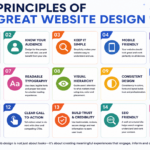
Principles of Good Web Design
Good web design follows specific principles.
Simplicity
Avoid unnecessary elements.
Consistency
Use the same colors, fonts, and styles throughout the website.
Accessibility
Ensure that everyone can use the website, including people with disabilities.
Speed
Optimize images and code for faster loading.
Readability
Make text easy to read.
Visual Hierarchy
Guide users’ attention to the most important content.
How to Learn Web Design as a Beginner
If you’re starting from scratch, follow these steps.
Step 1: Learn HTML and CSS
Understand the basics of web structure and styling.
Step 2: Practice Responsive Design
Create websites that work on all devices.
Step 3: Learn Design Principles
Study typography, color theory, and layout.
Step 4: Master Figma
Create website mockups and prototypes.
Step 5: Build Real Projects
Practice by creating:
- Portfolios
- Blogs
- Business websites
- Landing pages
Step 6: Learn WordPress
WordPress powers millions of websites worldwide and is an excellent platform for beginners.
Step 7: Create a Portfolio
Showcase your best work to attract clients.
Career Opportunities in Web Design
Web design offers many career paths.
Popular options include:
- Freelance web designer
- UI designer
- UX designer
- WordPress designer
- Front-end developer
- Website consultant
- Agency designer
Many designers work remotely and earn income from clients worldwide.
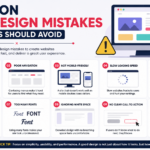
Common Mistakes Beginners Make
Avoid these common mistakes:
- Using too many colors
- Choosing difficult fonts
- Ignoring mobile users
- Overloading pages with content
- Using low-quality images
- Poor navigation design
- Slow website speed
Learning from these mistakes will improve your skills faster.
Future of Web Design
Web design continues to evolve with new technologies.
Current trends include:
- Artificial intelligence
- Dark mode
- Voice interfaces
- Micro-interactions
- Minimalist design
- 3D elements
- Motion design
Designers who keep learning will remain competitive in the future.
Final Thoughts
Web design is the art and science of creating visually appealing and user-friendly websites. It combines creativity, technology, and problem-solving to deliver a great experience for visitors.
For beginners, learning web design may seem overwhelming at first, but with consistent practice and the right tools, anyone can master it.
Start by learning HTML, CSS, and basic design principles. Experiment with tools like Figma and WordPress, build real projects, and continuously improve your skills.
Whether you want to become a freelancer, start your own business, or simply create your own website, web design is one of the most valuable skills in today’s digital world.
The journey begins with a single step—start designing today.
