
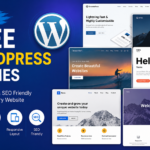

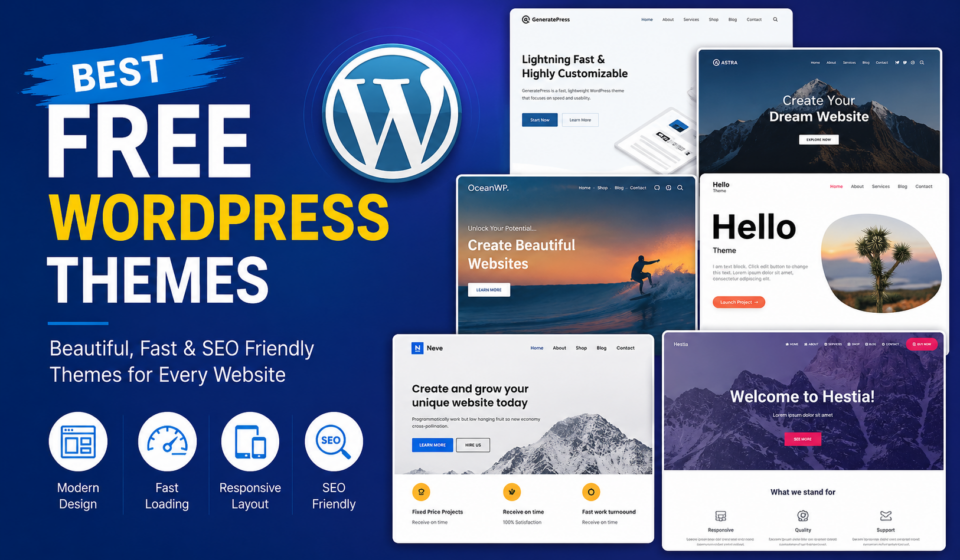
Best Free WordPress Themes
Choosing the right WordPress theme is one of the most important decisions you’ll make when building a website. Your theme determines how your website looks, how fast it loads, how visitors interact with it, and even how well it performs in search engines.
The good news is that you don’t need to spend hundreds of dollars to create a professional-looking website. Today, many free WordPress themes offer premium-quality features, responsive designs, customization options, and excellent performance.
Whether you’re creating a personal blog, business website, portfolio, online store, educational platform, or agency website, there’s a free WordPress theme that fits your needs.
In this comprehensive guide, you’ll discover the best free WordPress themes in 2026, their features, advantages, disadvantages, and tips for choosing the perfect one for your website.
Why Choosing the Right WordPress Theme Matters
A WordPress theme is more than just a design template. It directly affects your website’s:
- Loading speed
- User experience (UX)
- Mobile responsiveness
- SEO performance
- Conversion rate
- Brand identity
- Security
- Future scalability
A poorly coded theme can slow down your website, frustrate visitors, and hurt your Google rankings.
A well-built theme, on the other hand, provides a strong foundation for long-term success.
What Makes a Great Free WordPress Theme?
Before selecting a theme, look for these essential features:
1. Responsive Design
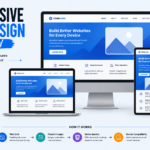
More than half of internet traffic comes from mobile devices.
Your theme should automatically adapt to:
- Smartphones
- Tablets
- Laptops
- Desktop monitors
2. Fast Loading Speed
Website speed affects:
- SEO rankings
- Bounce rate
- User experience
- Sales
Lightweight themes usually perform better than feature-heavy themes.
3. SEO-Friendly Structure
Good themes include:
- Clean code
- Proper HTML structure
- Schema compatibility
- Accessibility support
These help search engines understand your website.
4. Customization Options
Look for themes that allow you to customize:
- Colors
- Fonts
- Headers
- Footers
- Layouts
- Menus
- Widgets
Without requiring coding knowledge.
5. Compatibility
Your theme should work smoothly with popular plugins like:
- Elementor
- Gutenberg
- WooCommerce
- Contact Form 7
- Rank Math
- Yoast SEO
- WPForms
1. Astra
Astra remains one of the most popular free WordPress themes worldwide.
Best For
- Business websites
- Blogs
- Agencies
- Online stores
- Portfolios
Key Features
- Extremely lightweight
- Loads in under one second
- Starter templates
- WooCommerce support
- Elementor compatible
- Gutenberg optimized
- SEO-friendly code
Pros
- Fast performance
- Beginner friendly
- Large template library
- Regular updates
Cons
- Some advanced features require the Pro version.
2. Kadence
Kadence has become one of the strongest competitors to premium themes.
Best For
- Bloggers
- Coaches
- Agencies
- Service businesses
Features
- Header builder
- Footer builder
- Global colors
- Typography controls
- Responsive editing
- Dynamic layouts
Pros
- Modern design
- Excellent speed
- Great customization
- Accessibility ready
Cons
- Advanced templates are premium.
3. GeneratePress
GeneratePress focuses on speed and clean coding.
It’s widely recommended by SEO professionals.
Features
- Lightweight
- Modular design
- Excellent documentation
- Accessibility ready
- Mobile optimized
Pros
- Outstanding performance
- Highly secure
- SEO optimized
Cons
- Minimal design requires more customization.
4. Blocksy
Blocksy is built using modern web technologies.
It works exceptionally well with the WordPress Block Editor.
Features
- Live customization
- Multiple headers
- Dark mode
- WooCommerce integration
- Responsive controls
Pros
- Beautiful design
- Excellent customization
- Very fast
Cons
- Learning curve for beginners.
5. Neve
Neve is a lightweight multipurpose theme.
Perfect for:
- Small businesses
- Blogs
- Startups
- Landing pages
Features
- AMP ready
- Mobile-first design
- Fast loading
- Elementor support
- Gutenberg optimized
Pros
- Easy setup
- Beginner friendly
- Regular updates
Cons
- Limited free starter sites.
6. OceanWP
OceanWP is an excellent option for users who want flexibility.
Features
- WooCommerce ready
- Responsive design
- Multiple layouts
- SEO optimized
- Popup login support
Pros
- Feature rich
- Great for eCommerce
- Large community
Cons
- Some features depend on extensions.
7. Hello Elementor
If you build websites using Elementor, Hello Elementor is a fantastic choice.
Features
- Minimal code
- Extremely lightweight
- Full Elementor compatibility
Best For
- Elementor users
- Landing pages
- Creative agencies
Pros
- Lightning fast
- Clean structure
Cons
- Not suitable without Elementor.
8. Sydney
Sydney offers a professional business appearance.
Features
- Google Fonts
- Header slider
- Custom widgets
- Responsive layouts
- Color controls
Pros
- Corporate look
- Beginner friendly
Cons
- Limited advanced customization.
9. Zakra
Zakra offers dozens of starter templates.
Features
- GDPR ready
- WooCommerce support
- Lightweight
- Mobile responsive
Pros
- Easy installation
- Professional layouts
Cons
- Premium templates locked.
10. Hestia
Hestia features a modern one-page design.
Ideal for:
- Agencies
- Startups
- Freelancers
- Creative portfolios
Features
- Material design
- WooCommerce support
- Live Customizer
Pros
- Stylish homepage
- Fast performance
Cons
- Limited homepage customization in the free version.
Comparison Table
| Theme | Speed | SEO | WooCommerce | Elementor | Best For |
|---|---|---|---|---|---|
| Astra | ⭐⭐⭐⭐⭐ | ⭐⭐⭐⭐⭐ | Yes | Yes | All websites |
| Kadence | ⭐⭐⭐⭐⭐ | ⭐⭐⭐⭐⭐ | Yes | Yes | Coaches & businesses |
| GeneratePress | ⭐⭐⭐⭐⭐ | ⭐⭐⭐⭐⭐ | Yes | Yes | SEO-focused websites |
| Blocksy | ⭐⭐⭐⭐⭐ | ⭐⭐⭐⭐☆ | Yes | Yes | Modern websites |
| Neve | ⭐⭐⭐⭐☆ | ⭐⭐⭐⭐☆ | Yes | Yes | Beginners |
| OceanWP | ⭐⭐⭐⭐☆ | ⭐⭐⭐⭐☆ | Yes | Yes | Online stores |
| Hello Elementor | ⭐⭐⭐⭐⭐ | ⭐⭐⭐⭐☆ | Yes | Elementor | Designers |
| Sydney | ⭐⭐⭐⭐☆ | ⭐⭐⭐⭐☆ | Yes | Yes | Businesses |
| Zakra | ⭐⭐⭐⭐☆ | ⭐⭐⭐⭐☆ | Yes | Yes | Multipurpose |
| Hestia | ⭐⭐⭐⭐☆ | ⭐⭐⭐⭐☆ | Yes | Yes | Startups |
Free vs Premium Themes
Many users wonder whether free themes are enough.
The answer depends on your website.
A free theme is perfect if you need:
- Personal blog
- Portfolio
- Business website
- Educational website
- Landing page
- Small online store
Upgrade to premium when you need:
- Advanced WooCommerce features
- More layouts
- White-label options
- Premium support
- Advanced header builders
- Mega menus
Tips for Choosing the Best Theme
Choose Speed First
Fast websites rank higher.
Avoid themes filled with unnecessary animations.
Pick Long-Term Support
Choose themes updated regularly.
Old themes may create security issues.
Consider Your Goals
Different websites require different themes.
For example:
Blog → GeneratePress
Agency → Astra
Online Store → OceanWP
Coach → Kadence
Portfolio → Blocksy
Test the Demo
Always explore the live demo.
Imagine your own content replacing the sample content.
Check Plugin Compatibility
Make sure your favorite plugins work perfectly.
Common Mistakes to Avoid
Many beginners make these mistakes:
Choosing Based Only on Appearance
Looks matter, but speed matters more.
Ignoring Mobile Design
Always preview the mobile version.
Installing Too Many Themes
Keep only one active theme and delete unused ones.
Forgetting Updates
Always update your theme to maintain security.
Using Poorly Rated Themes
Download themes only from trusted sources like the official WordPress Theme Directory.
Installing a Free WordPress Theme
Installing a free theme is simple:
- Log in to your WordPress Dashboard.
- Go to Appearance → Themes.
- Click Add New.
- Search for your preferred theme.
- Click Install.
- Click Activate.
- Customize the theme under Appearance → Customize or the Site Editor, depending on the theme.
You can also import starter templates if the theme offers them, helping you launch a professional-looking site in minutes.
Frequently Asked Questions
Which is the fastest free WordPress theme?
GeneratePress, Astra, Kadence, and Hello Elementor are among the fastest free themes available.
Which free theme is best for SEO?
GeneratePress and Astra are widely regarded as excellent choices because of their clean code and lightweight structure.
Which free theme works best with Elementor?
Hello Elementor is purpose-built for Elementor. Astra, Kadence, Neve, and Blocksy also integrate very well.
Which free theme is best for WooCommerce?
OceanWP, Astra, Kadence, and Neve offer strong WooCommerce support and provide a solid foundation for online stores.
Can I build a professional website using a free theme?
Absolutely. Many successful businesses, blogs, and portfolios run on free themes. Pair a quality theme with good hosting, optimized images, and reliable plugins for excellent results.
Final Thoughts
A great WordPress theme doesn’t have to cost anything. Today’s best free themes provide exceptional speed, mobile responsiveness, SEO-friendly code, and extensive customization options that rival many premium products.
If you’re looking for an all-around recommendation, Astra is a fantastic starting point thanks to its flexibility and ease of use. If performance is your top priority, GeneratePress is hard to beat. For coaches, educators, and service-based businesses, Kadence offers an impressive balance of design and functionality. Online store owners will appreciate OceanWP, while designers using Elementor will find Hello Elementor to be an excellent lightweight foundation.
Take the time to evaluate your website’s goals before choosing a theme. The right choice will improve user experience, strengthen your SEO efforts, and make managing your site much easier as it grows.
With the themes featured in this guide, you can confidently build a beautiful, fast, and professional WordPress website—without spending a dime.
