

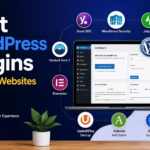




Best WordPress Plugins for New Websites
Launching a new WordPress website is exciting. Whether you’re creating a business website, blog, portfolio, online store, or personal brand, WordPress gives you the flexibility to build almost anything.
However, WordPress alone isn’t enough.
One of the biggest strengths of WordPress is its plugin ecosystem. Plugins allow you to add powerful features without writing code. From improving SEO and security to increasing website speed and collecting leads, the right plugins can transform a basic website into a professional online presence.
The challenge?
There are over 60,000 WordPress plugins available, making it difficult for beginners to know which ones are truly necessary.
In this guide, you’ll discover the best WordPress plugins for new websites, why they’re important, and how they help your website grow.
What Are WordPress Plugins?
A WordPress plugin is software that adds new functionality to your website.
Think of WordPress as a smartphone.
The phone works on its own, but apps make it much more useful.
Plugins do exactly the same for WordPress.
You can install plugins to:
- Improve SEO
- Speed up your website
- Protect against hackers
- Create contact forms
- Build landing pages
- Optimize images
- Add backups
- Sell products
- Improve user experience
The best part?
Most essential plugins have excellent free versions.
Why Every New Website Needs Plugins
A fresh WordPress installation is intentionally simple.
To compete online, you’ll need additional features such as:
- Better search engine visibility
- Stronger security
- Faster loading times
- Website backups
- Contact forms
- Spam protection
- Analytics
- Image optimization
- Performance improvements
Choosing the right plugins from the beginning saves time and prevents future problems.
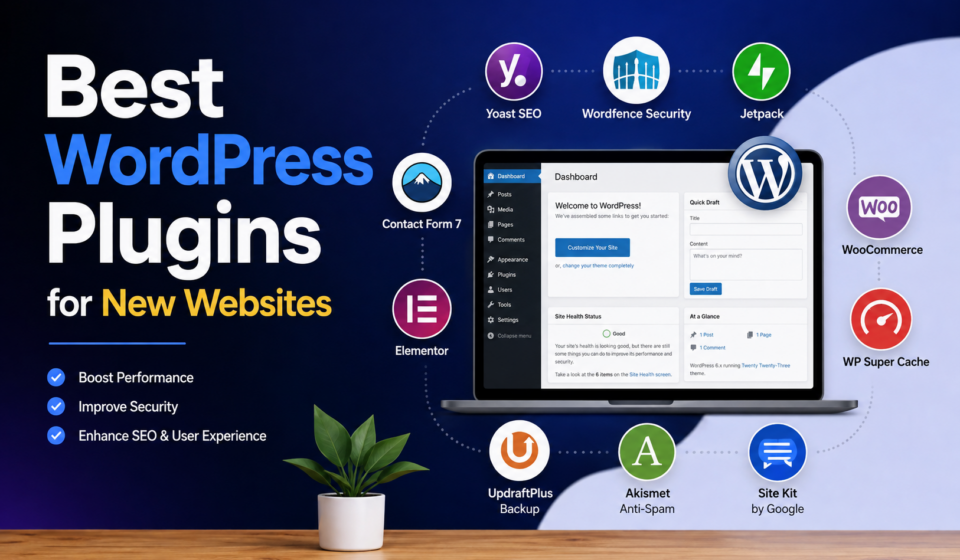
1. Yoast SEO
Category: Search Engine Optimization
Search engines are one of the biggest sources of website traffic.
Without SEO, even the best website may remain invisible.
Yoast SEO helps beginners optimize content without needing advanced SEO knowledge.
Key Features
- XML sitemap generation
- Meta title editing
- Meta description editing
- Readability analysis
- Keyword optimization
- Social media previews
- Schema markup
Why Beginners Love It
Yoast provides simple recommendations that help improve your content before publishing.
Best For
- Blogs
- Business websites
- Portfolio websites
- Local businesses
2. Rank Math SEO
Another excellent SEO plugin is Rank Math.
Many users prefer Rank Math because it includes advanced SEO features in the free version.
Features
- Keyword optimization
- Rich snippets
- XML sitemaps
- Local SEO
- WooCommerce SEO
- 404 monitoring
- Redirection manager
Advantages
- Easy setup wizard
- Modern interface
- Lightweight
- Built-in analytics
3. LiteSpeed Cache
Category: Performance
Website speed directly affects:
- SEO
- User experience
- Conversion rates
LiteSpeed Cache is one of the fastest caching plugins available.
Features
- Page caching
- Browser caching
- CSS optimization
- JavaScript optimization
- Lazy loading
- Image optimization
- Database cleanup
Even beginners can significantly improve loading speed with its default settings.
4. WPForms
Every website should include a contact form.
WPForms makes creating forms incredibly easy using drag-and-drop functionality.
Create
- Contact forms
- Quote request forms
- Newsletter forms
- Registration forms
- Survey forms
Benefits
- Mobile responsive
- Spam protection
- Beginner friendly
- Fast loading
No coding required.
5. UpdraftPlus
Imagine spending months building your website only to lose everything.
That’s why backups are essential.
UpdraftPlus automatically backs up your website and allows quick restoration.
Backup Options
- Google Drive
- Dropbox
- OneDrive
- Amazon S3
- FTP
Regular backups provide peace of mind.
6. Wordfence Security
Cyberattacks happen every day.
Wordfence protects your website against:
- Malware
- Hackers
- Brute force attacks
- Suspicious login attempts
Features
- Firewall
- Malware scanner
- Login security
- Live traffic monitoring
- Two-factor authentication
Security should never be optional.
7. Akismet Anti-Spam
If your website allows comments, spam quickly becomes a problem.
Akismet automatically filters spam comments before they reach your dashboard.
Benefits include:
- Cleaner comments
- Reduced moderation time
- Better website reputation
8. Smush
Large images slow websites considerably.
Smush automatically compresses images without reducing visible quality.
Features
- Bulk optimization
- Lazy loading
- Automatic compression
- Image resizing
- WebP support
Fast images improve both SEO and user experience.
9. Elementor
Elementor is one of the world’s most popular page builders.
Instead of coding, you simply drag and drop elements.
Create:
- Homepages
- Landing pages
- About pages
- Sales pages
- Service pages
Features
- Live editing
- Templates
- Responsive design
- Widgets
- Visual builder
Ideal for beginners who want professional designs.
10. Site Kit by Google
Every website owner should understand visitor behavior.
Site Kit connects your WordPress website directly with Google services.
Integrates
- Google Analytics
- Search Console
- PageSpeed Insights
- AdSense
- Tag Manager
Everything appears inside your WordPress dashboard.
11. Really Simple Security
SSL encryption protects your visitors.
This plugin helps configure HTTPS properly and fixes common SSL issues.
Benefits include:
- Secure browsing
- Better SEO
- Increased trust
- Browser security warnings removed
12. Redirection
As your website grows, URLs change.
Instead of creating broken links, Redirection automatically forwards visitors to the correct page.
Benefits include:
- Better SEO
- Improved user experience
- Fewer 404 errors
13. Broken Link Checker
Broken links frustrate visitors and hurt SEO.
This plugin scans your website and reports broken internal and external links.
Keeping links healthy improves website quality.
14. WooCommerce (For Online Stores)
Planning to sell products?
WooCommerce transforms WordPress into a complete eCommerce platform.
Sell
- Physical products
- Digital downloads
- Services
- Memberships
- Subscriptions
WooCommerce powers millions of online stores worldwide.
15. MonsterInsights
Google Analytics contains powerful data but can be overwhelming.
MonsterInsights makes analytics easy to understand.
Track:
- Visitors
- Traffic sources
- Popular posts
- User behavior
- Conversions
Perfect for beginners.
How Many Plugins Should You Install?
There isn’t a perfect number.
Instead, focus on quality rather than quantity.
A healthy new website typically uses between 10 and 20 well-maintained plugins.
Avoid installing plugins that:
- Have poor reviews
- Haven’t been updated recently
- Duplicate other plugins’ functionality
- Come from unknown developers
Tips for Choosing WordPress Plugins
Before installing any plugin:
Check Ratings
Look for plugins with strong user ratings and active support.
Review Update History
Frequently updated plugins are generally more secure and compatible.
Verify Compatibility
Ensure the plugin works with your current version of WordPress.
Install Only What You Need
Every plugin adds some overhead. Keep your website lean.
Delete Unused Plugins
Deactivate and remove plugins you no longer use.
Common Mistakes Beginners Make
Avoid these common mistakes:
- Installing too many plugins
- Ignoring updates
- Using multiple SEO plugins simultaneously
- Skipping backups
- Forgetting website security
- Ignoring image optimization
- Downloading plugins from unofficial sources
Recommended Plugin Stack for Most New Websites
For a standard business website or blog, this combination works well:
- Yoast SEO or Rank Math
- LiteSpeed Cache
- WPForms
- UpdraftPlus
- Wordfence Security
- Smush
- Site Kit by Google
- Elementor
- Akismet
- Redirection
This setup covers nearly every essential need while keeping your website efficient.
Frequently Asked Questions
Are free WordPress plugins enough?
Yes. Most beginners can build an excellent website using free versions of popular plugins. Upgrade only when you need advanced features.
Can too many plugins slow down WordPress?
Yes. Poorly coded or unnecessary plugins can reduce performance. Focus on high-quality plugins and remove those you don’t use.
Which SEO plugin is best?
Both Yoast SEO and Rank Math are excellent. Yoast is known for its simplicity, while Rank Math offers more advanced features in its free version.
Do I need a backup plugin if my hosting provides backups?
Yes. Having an independent backup strategy gives you additional protection and flexibility.
Should I install security plugins immediately?
Absolutely. Security should be one of the first things you configure after launching your website.
Final Thoughts
Choosing the right WordPress plugins is one of the smartest decisions you can make when launching a new website. Instead of installing dozens of plugins, focus on a carefully selected toolkit that improves SEO, performance, security, backups, and user experience.
A balanced plugin setup keeps your website fast, secure, and easy to manage while giving visitors the best possible experience.
Start with the essentials, monitor your website’s performance, and only add new plugins when they provide clear value. By building a strong foundation from day one, you’ll save time, avoid technical issues, and create a website that’s ready to grow with your goals.
Whether you’re building a personal blog, business website, portfolio, or online store, the plugins in this guide will help you launch with confidence and set your WordPress site up for long-term success.
