








Common Web Design Mistakes Beginners Should Avoid
Web design is more than making a website look attractive. A well-designed website should provide a great user experience, load quickly, work perfectly on all devices, and guide visitors toward a specific goal. Unfortunately, many beginners focus only on colors and visual elements while ignoring the principles that make a website effective.
A poorly designed website can frustrate visitors, reduce conversions, and damage a brand’s reputation. Even small mistakes, such as difficult navigation or slow loading times, can cause users to leave a website within seconds.
Whether you’re a new web designer, a freelancer, or someone building your first website, understanding common web design mistakes can save you time and help you create better websites. In this article, we’ll explore the most common web design mistakes beginners should avoid and learn how to fix them.
1. Ignoring Mobile Responsiveness
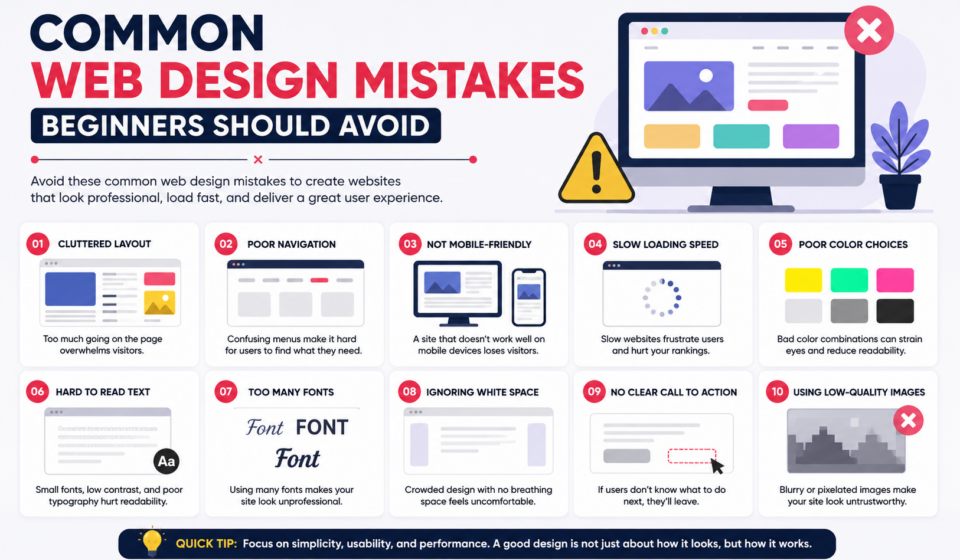
One of the biggest mistakes beginners make is designing websites only for desktop screens. Today, more than half of internet traffic comes from smartphones and tablets.
If your website doesn’t adapt to different screen sizes, users will struggle to navigate it, read content, or click buttons.
Common problems:
- Text appears too small.
- Images overflow the screen.
- Buttons are difficult to tap.
- Navigation menus break on mobile devices.
How to avoid it:
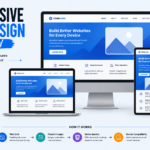
- Use responsive design techniques.
- Test your website on multiple devices.
- Use flexible layouts and grids.
- Optimize images for mobile screens.
Always design with a mobile-first approach to ensure the best user experience.
2. Using Too Many Colors
Colors are essential in web design, but beginners often use too many colors on a single page. Excessive colors can make a website look unprofessional and confusing.
Common problems:
- Visual clutter.
- Poor readability.
- Inconsistent branding.
- Distracting user experience.
How to avoid it:
Stick to a simple color palette:
- One primary color.
- One secondary color.
- One accent color.
- Neutral colors such as white, black, and gray.
Consistency in colors creates a clean and professional appearance.
3. Poor Typography Choices
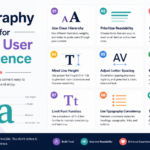
Typography affects readability and user experience. Beginners often choose decorative fonts that look attractive but are difficult to read.
Common mistakes:
- Using too many font styles.
- Choosing small font sizes.
- Poor spacing between lines.
- Using fancy fonts for body text.
Best practices:
- Use only two or three fonts.
- Keep body text between 16 and 18 pixels.
- Use proper line spacing.
- Choose clean and readable fonts.
Good typography improves both usability and professionalism.
4. Overloading the Website with Animations
Animations can make a website interactive, but too many animations create distractions and reduce performance.
Common problems:
- Slow loading speed.
- User distraction.
- Poor accessibility.
- Increased bounce rate.
How to avoid it:
Use animations only when they serve a purpose, such as:
- Hover effects.
- Smooth transitions.
- Button interactions.
- Scroll effects.
Keep animations subtle and meaningful.
5. Slow Website Loading Speed
Website speed plays a crucial role in user satisfaction and search engine rankings. Visitors expect websites to load quickly.
Common causes:
- Large image files.
- Too many plugins.
- Heavy scripts.
- Unoptimized code.
How to improve speed:
- Compress images.
- Minify CSS and JavaScript.
- Use caching.
- Remove unnecessary plugins.
- Choose reliable hosting.
A fast website improves user experience and SEO performance.
6. Confusing Navigation
Visitors should find information quickly. Complicated navigation frustrates users and causes them to leave.
Common mistakes:
- Too many menu items.
- Unclear labels.
- Hidden navigation.
- Complex dropdown menus.
Best practices:
- Keep menus simple.
- Use clear labels.
- Limit menu options.
- Add a search function.
Good navigation improves usability and increases engagement.
7. Lack of White Space
Many beginners try to fill every inch of the screen with content. This creates a cluttered design.
White space helps users focus on important elements.
Benefits of white space:
- Better readability.
- Improved focus.
- Cleaner appearance.
- Better visual hierarchy.
How to use white space:
- Add spacing between sections.
- Increase margins and padding.
- Avoid overcrowding.
Remember, empty space is not wasted space.
8. Poor Call-to-Action Design
A call-to-action (CTA) tells users what to do next, whether it’s signing up, purchasing a product, or contacting you.
Common mistakes:
- Small buttons.
- Weak text.
- Hidden CTAs.
- Too many CTAs.
Effective CTA examples:
- Get Started
- Download Now
- Contact Us
- Learn More
Make your CTA buttons stand out with contrasting colors and clear text.
9. Ignoring SEO Basics
Even a beautiful website won’t succeed if people cannot find it on search engines.
Common SEO mistakes:
- Missing title tags.
- No meta descriptions.
- Poor heading structure.
- Unoptimized images.
SEO best practices:
- Use proper headings (H1, H2, H3).
- Add keywords naturally.
- Optimize images.
- Improve loading speed.
- Write quality content.
SEO should be part of the design process from the beginning.
10. Inconsistent Design Elements
Consistency creates trust and professionalism. Beginners often use different styles across pages.
Common problems:
- Different button styles.
- Inconsistent colors.
- Different fonts.
- Uneven spacing.
How to maintain consistency:
- Create a style guide.
- Use reusable components.
- Follow a design system.
- Keep spacing consistent.
Consistency strengthens your brand identity.
11. Not Optimizing Images
Large, unoptimized images slow down websites and affect performance.
Common mistakes:
- Uploading huge images.
- Using the wrong format.
- Missing alt text.
Best practices:
- Compress images.
- Use WebP format.
- Add descriptive alt text.
- Resize images properly.
Optimized images improve speed and accessibility.
12. Forgetting Accessibility
Accessibility ensures that everyone, including people with disabilities, can use your website.
Common accessibility issues:
- Poor color contrast.
- Missing alt text.
- Tiny fonts.
- Keyboard navigation problems.
How to improve accessibility:
- Use sufficient contrast.
- Add alt text to images.
- Make links descriptive.
- Ensure keyboard compatibility.
Accessibility improves user experience for everyone.
13. Not Testing the Website
Many beginners launch websites without proper testing.
Areas to test:
- Mobile responsiveness.
- Browser compatibility.
- Loading speed.
- Contact forms.
- Navigation.
Testing tools:
- Google Chrome Developer Tools.
- Google PageSpeed Insights.
- BrowserStack.
Testing helps identify issues before users encounter them.
14. Copying Trends Without Understanding Them
Design trends change frequently. Beginners often copy trendy designs without understanding whether they fit the project.
Common examples:
- Excessive animations.
- Dark mode without optimization.
- Glassmorphism.
- Complex layouts.
Best approach:
Focus on usability first. Trends should support the user experience, not replace it.
15. Neglecting Content Hierarchy
A website should guide users naturally from one section to another.
Common mistakes:
- Equal-sized headings.
- Poor spacing.
- Unclear structure.
Best practices:
- Use proper heading levels.
- Highlight important information.
- Organize content logically.
A strong visual hierarchy improves readability and engagement.
16. Using Too Many Plugins
WordPress plugins add functionality, but installing too many plugins can cause performance and security issues.
Problems caused by excessive plugins:
- Slow speed.
- Security vulnerabilities.
- Compatibility issues.
- Maintenance problems.
How to avoid it:
- Install only necessary plugins.
- Delete unused plugins.
- Update plugins regularly.
- Choose trusted developers.
Less is often better.
17. Forgetting Website Security
Security is often overlooked by beginners.
Common security mistakes:
- Weak passwords.
- Outdated plugins.
- No backups.
- No SSL certificate.
Security tips:
- Use strong passwords.
- Install security plugins.
- Update everything regularly.
- Enable SSL.
- Create backups.
Security protects your website and your visitors.
Conclusion
Every web designer makes mistakes in the beginning, and that’s part of the learning process. However, understanding these common web design mistakes can help you avoid unnecessary problems and create websites that are attractive, fast, user-friendly, and effective.
Focus on the fundamentals:
- Keep designs simple.
- Prioritize user experience.
- Optimize for mobile devices.
- Improve loading speed.
- Maintain consistency.
- Follow SEO best practices.
Remember that great web design is not just about appearance—it’s about creating experiences that help users achieve their goals. By avoiding these beginner mistakes, you’ll be well on your way to becoming a successful web designer.
Frequently Asked Questions (FAQs)
1. What is the most common web design mistake?
Ignoring mobile responsiveness is one of the most common mistakes beginners make.
2. Why is website speed important?
A fast website improves user experience, SEO rankings, and conversion rates.
3. How many fonts should I use on a website?
Using two or three fonts is generally recommended.
4. Why is white space important?
White space improves readability and helps users focus on important content.
5. Do web design mistakes affect SEO?
Yes, poor design, slow speed, and bad user experience can negatively impact SEO.
