















Gutenberg vs Elementor
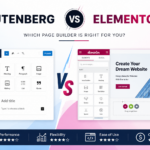
If you’re building a WordPress website today, one of the biggest decisions you’ll make is choosing between Gutenberg and Elementor. Both are powerful tools for creating beautiful websites without writing code, but they serve different types of users and projects.
Gutenberg has evolved significantly since its introduction as the default WordPress editor. Meanwhile, Elementor continues to dominate the page builder market with its visual drag-and-drop interface and extensive design capabilities.
So, which one should you choose?
In this comprehensive comparison, we’ll examine Gutenberg and Elementor based on performance, ease of use, customization, pricing, SEO, flexibility, and real-world use cases to help you make the best decision.
What Is Gutenberg?
Gutenberg is the default block editor built into WordPress. Instead of using the traditional text editor, Gutenberg allows users to build pages using content blocks.
Each element—paragraphs, headings, images, buttons, videos, galleries, columns, and more—is added as an individual block.
Because it’s developed by the WordPress team, Gutenberg integrates perfectly with WordPress core and continues to improve with every update.
Key Features
- Built into WordPress
- Lightweight and fast
- Block-based editing
- Responsive by default
- Full Site Editing (FSE)
- Template editing
- Reusable blocks
- Pattern library
- Excellent compatibility
What Is Elementor?
Elementor is one of the world’s most popular WordPress page builder plugins. It offers a real-time drag-and-drop editor that allows users to design almost any layout visually.
Unlike Gutenberg, Elementor focuses heavily on design freedom and advanced customization.
Millions of websites use Elementor because it allows beginners and professionals to build complex websites without coding.
Key Features
- Visual drag-and-drop builder
- Live editing
- Hundreds of widgets
- Theme Builder
- Popup Builder
- WooCommerce Builder
- Motion effects
- Form Builder
- Dynamic content
- Global styling
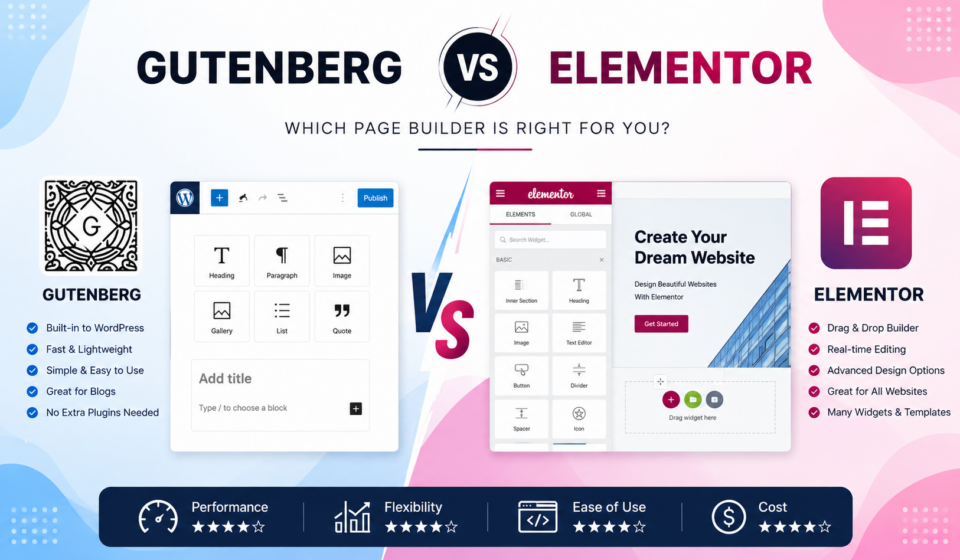
Gutenberg vs Elementor: Quick Comparison
| Feature | Gutenberg | Elementor |
|---|---|---|
| Built into WordPress | ✅ Yes | ❌ No |
| Drag-and-drop editing | Limited | Excellent |
| Speed | Excellent | Good |
| Ease of use | Easy | Very Easy |
| Advanced layouts | Moderate | Excellent |
| SEO | Excellent | Very Good |
| WooCommerce Builder | Limited | Excellent |
| Theme Builder | Yes (FSE Themes) | Yes |
| Popup Builder | No | Yes |
| Cost | Free | Free + Pro |
User Interface
Gutenberg
Gutenberg uses a block-based editor.
Every piece of content exists as a block, making editing simple and organized.
The interface is clean and distraction-free.
Pros:
- Minimal interface
- Fast editing
- Native WordPress experience
- Easy to learn
Cons:
- Limited visual editing
- Less intuitive for advanced layouts
Elementor
Elementor provides true front-end editing.
Everything you build appears exactly as visitors will see it.
Simply drag widgets onto the page and customize them instantly.
Pros:
- Live editing
- Visual workflow
- Beginner-friendly
- Professional design tools
Cons:
- More interface options
- Slight learning curve
Winner: Elementor
Ease of Use
If you’re creating blog posts, Gutenberg is incredibly straightforward.
If you’re designing landing pages, business websites, or portfolios, Elementor is much easier.
Gutenberg is ideal for:
- Bloggers
- Content creators
- News websites
- Personal websites
Elementor is ideal for:
- Agencies
- Designers
- Freelancers
- Businesses
- E-commerce stores
Winner: Tie
Design Flexibility
This is where Elementor shines.
Elementor gives complete control over:
- Margins
- Padding
- Positioning
- Animations
- Responsive settings
- Hover effects
- Typography
- Custom CSS
- Flexbox Containers
- Grid layouts
Gutenberg has improved dramatically, but its design options remain more limited.
Winner: Elementor
Performance
Website speed matters.
Google considers page speed a ranking factor, and visitors expect websites to load quickly.
Gutenberg Performance
Because it’s part of WordPress core, Gutenberg generates cleaner code.
Benefits include:
- Smaller page size
- Fewer CSS files
- Faster loading
- Better Core Web Vitals
Elementor Performance
Elementor has made major performance improvements in recent versions.
Features include:
- Optimized asset loading
- Improved CSS output
- Lazy loading
- Container layouts
- Reduced DOM elements
However, Elementor pages generally load more resources than Gutenberg.
Winner: Gutenberg
SEO Comparison
Both builders can rank well in search engines.
Neither automatically improves rankings.
SEO depends on:
- Quality content
- Site speed
- Internal linking
- Technical SEO
- Mobile optimization
Gutenberg Advantages
- Lightweight code
- Better performance
- Faster rendering
Elementor Advantages
- Beautiful landing pages
- Better conversion-focused designs
- Excellent compatibility with SEO plugins
Both work perfectly with:
- Yoast SEO
- Rank Math
- All in One SEO
Winner: Gutenberg (slight edge)
Customization
Gutenberg
Customization depends largely on your theme.
Modern block themes allow:
- Global styles
- Templates
- Patterns
- Template parts
- Full Site Editing
Still, some advanced layouts require additional block plugins.
Popular additions include:
- Spectra
- Kadence Blocks
- GenerateBlocks
Elementor
Elementor includes hundreds of customization options.
You can customize almost everything without code.
Examples include:
- Headers
- Footers
- Blog templates
- Archive pages
- Single posts
- Product pages
- Popups
- Forms
- Dynamic content
Winner: Elementor
Theme Compatibility
Gutenberg works with virtually every modern WordPress theme.
Elementor also supports most themes but performs best with lightweight themes such as:
- Hello Elementor
- Astra
- Kadence
- GeneratePress
- Blocksy
Winner: Tie
WooCommerce Support
For online stores, Elementor offers significantly more design flexibility.
Elementor Pro lets you customize:
- Product pages
- Shop pages
- Cart
- Checkout
- My Account pages
Gutenberg supports WooCommerce blocks, but customization options are more limited.
Winner: Elementor
Pricing
Gutenberg
Price: Free
Included with every WordPress installation.
No extra plugin required.
Elementor
Free Version
Includes:
- Basic widgets
- Templates
- Drag-and-drop builder
Pro Version
Adds:
- Theme Builder
- WooCommerce Builder
- Forms
- Popup Builder
- Dynamic Content
- Premium widgets
Winner: Gutenberg for budget-conscious users.
Learning Curve
Gutenberg feels familiar if you’ve used WordPress before.
Elementor introduces more design controls but is easier for visual learners.
Winner:
- Bloggers → Gutenberg
- Designers → Elementor
Developer Experience
Developers often appreciate Gutenberg because it follows WordPress standards.
Benefits include:
- Native APIs
- Better future compatibility
- Cleaner markup
- Less plugin dependency
Elementor is excellent for rapid development but adds another layer between WordPress and your website.
Winner: Gutenberg
Real-World Use Cases
Choose Gutenberg If You Want:
- Fast websites
- Better Core Web Vitals
- Blogging
- Content marketing
- News websites
- Simplicity
- Free solution
Choose Elementor If You Want:
- Landing pages
- Business websites
- Agency sites
- Portfolio websites
- Marketing funnels
- WooCommerce stores
- Pixel-perfect designs
Pros and Cons
Gutenberg Pros
- Free
- Fast
- Native WordPress
- Lightweight
- SEO-friendly
- Regular updates
Cons
- Limited design flexibility
- Fewer advanced widgets
- Some layouts require extra block plugins
Elementor Pros
- Drag-and-drop editing
- Professional designs
- Huge widget library
- Theme Builder
- WooCommerce Builder
- Popup Builder
- Excellent templates
Cons
- Heavier than Gutenberg
- Some features require Pro
- Can become slower if overused
Can You Use Both Together?
Absolutely.
Many professionals combine Gutenberg and Elementor.
A common workflow is:
- Write blog posts in Gutenberg.
- Build landing pages with Elementor.
- Design sales pages using Elementor Pro.
- Keep regular content lightweight with Gutenberg.
This approach delivers the best balance of speed and design flexibility.
Which One Is Better for Beginners?
If your goal is simply publishing blog posts, Gutenberg is the easiest option because it’s built directly into WordPress.
If your goal is creating visually impressive websites without coding, Elementor offers a more intuitive design experience and a richer set of creative tools.
Future of Gutenberg vs Elementor
Gutenberg continues to evolve rapidly with Full Site Editing, improved block patterns, and more powerful layout tools.
Elementor also keeps adding advanced capabilities, AI-assisted features, performance improvements, and enhanced workflow tools for professionals.
Rather than replacing each other, both tools are becoming stronger in their own areas:
- Gutenberg is increasingly the standard for content creation and native WordPress editing.
- Elementor remains a leading solution for advanced visual website design.
Final Verdict
There isn’t a single winner for every type of website.
Choose Gutenberg if your priorities are speed, simplicity, lower costs, and creating content-rich websites with excellent performance.
Choose Elementor if you need complete creative freedom, advanced layouts, marketing pages, or extensive WooCommerce customization without writing code.
For many WordPress professionals, the most practical approach is to use both: rely on Gutenberg for everyday content and Elementor for high-impact pages where design and conversions matter most.
Frequently Asked Questions (FAQ)
Is Gutenberg faster than Elementor?
Yes. Gutenberg generally produces lighter code and fewer assets, which often results in faster page loading and better Core Web Vitals.
Is Elementor free?
Yes. Elementor has a free version with core page-building features. Advanced functionality such as Theme Builder, Popup Builder, and WooCommerce Builder requires Elementor Pro.
Which is better for SEO?
Both can perform well in search engines. Gutenberg has a slight advantage because of its lighter output, while Elementor can create highly optimized, conversion-focused landing pages when configured properly.
Can I switch from Elementor to Gutenberg?
Yes, but layouts built with Elementor usually need to be recreated using Gutenberg blocks, as the two builders use different systems.
Should beginners use Gutenberg or Elementor?
If your focus is writing blog posts, Gutenberg is the simplest choice. If you want to build visually impressive websites without coding, Elementor offers a more intuitive visual design experience.
