


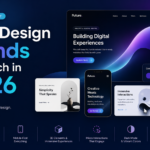

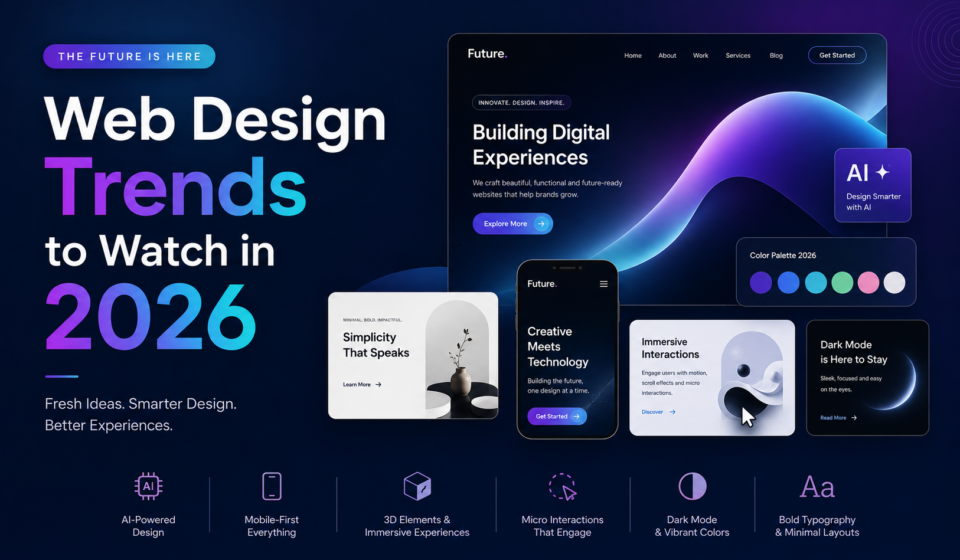
Web Design Trends to Watch in 2026
The world of web design continues to evolve at an incredible pace. As technology advances and user expectations grow, websites are becoming smarter, faster, more interactive, and more personalized than ever before.
In 2026, web design is no longer just about creating beautiful interfaces. It’s about delivering meaningful experiences, improving accessibility, maximizing performance, and using artificial intelligence to create websites that adapt to every visitor.
Whether you’re a web designer, business owner, freelancer, developer, or digital marketer, staying updated with the latest trends is essential for building websites that remain competitive.
In this guide, we’ll explore the most important web design trends shaping 2026 and explain how you can use them to build modern, engaging websites.
Why Web Design Trends Matter
A website is often the first impression customers have of your business.
Modern users expect websites to:
- Load instantly
- Look professional
- Work perfectly on every device
- Be easy to navigate
- Feel interactive
- Be accessible to everyone
Ignoring modern design trends can lead to:
- Higher bounce rates
- Lower conversions
- Poor SEO performance
- Reduced trust
- Lost customers
Keeping your website updated ensures that it remains relevant in an increasingly competitive digital landscape.
1. AI-Powered Personalized Experiences
Artificial Intelligence is transforming web design faster than any previous technology.
Instead of showing the same content to every visitor, websites now adapt based on user behavior.
Examples include:
- Personalized homepage content
- AI-generated product recommendations
- Smart navigation
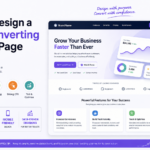
- Dynamic landing pages
- Personalized CTAs
- AI-powered customer support
Imagine two visitors landing on the same website.
One sees beginner tutorials.
The other sees advanced courses.
The content automatically changes based on their interests.
This level of personalization increases engagement and conversion rates significantly.
2. Minimalism with Purpose
Minimalism continues to dominate web design in 2026.
However, modern minimalism isn’t about removing everything.
It’s about eliminating distractions.
Key characteristics include:
- Plenty of white space
- Clean typography
- Simple navigation
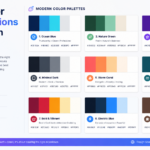
- Limited color palettes
- Strong visual hierarchy
Minimal designs improve:
- Readability
- Loading speed
- Mobile usability
- User focus
Every element should have a clear purpose.
3. AI-Assisted Web Design
Modern website builders now include AI assistants that can:
- Generate layouts
- Suggest color palettes
- Write content
- Create images
- Optimize user experience
- Improve accessibility
Rather than replacing designers, AI speeds up repetitive tasks so professionals can focus on creativity and strategy.
4. Immersive Scrolling Experiences
Scrolling is becoming more interactive than ever.
Instead of static pages, websites tell stories as users scroll.
Popular techniques include:
- Sticky sections
- Scroll-triggered animations
- Interactive graphics
- Horizontal scrolling
- Layered effects
- Animated transitions
When used carefully, these techniques keep visitors engaged without sacrificing usability.
5. Micro-Interactions Everywhere
Small animations make websites feel alive.
Examples include:
- Button hover effects
- Animated icons
- Progress indicators
- Form feedback
- Like animations
- Loading animations
Micro-interactions improve user satisfaction because they provide instant visual feedback.
The key is subtlety.
Animations should enhance—not distract from—the experience.
6. Accessibility as a Standard
Accessibility is no longer optional.
Inclusive design benefits everyone, including users with visual, hearing, motor, or cognitive disabilities.
Modern websites should include:
- Proper color contrast
- Keyboard navigation
- Screen-reader compatibility
- Clear headings
- Descriptive alt text
- Focus indicators
- Accessible forms
Accessible websites often perform better in search engines because they follow semantic HTML best practices.
7. Dark Mode and Adaptive Themes
Dark mode remains popular in 2026.
Many websites now allow users to choose between:
- Light mode
- Dark mode
- Auto mode based on device settings
Benefits include:
- Reduced eye strain
- Modern appearance
- Better battery life on OLED displays
- Improved nighttime browsing
Adaptive themes automatically switch depending on user preferences.
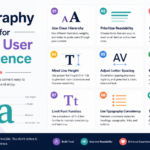
8. Bold Typography
Typography has become a major design element.
Instead of relying on images, designers use large fonts to communicate key messages.
Modern typography trends include:
- Oversized headlines
- Variable fonts
- Creative spacing
- Layered text
- Responsive font scaling
Readable typography improves both aesthetics and usability.
9. 3D Graphics and Visual Depth
Advances in browsers and graphics technology have made 3D design more accessible.
Popular examples include:
- Interactive product displays
- Floating objects
- Animated illustrations
- Glassmorphism
- Layered interfaces
These effects add realism while maintaining fast performance.
10. Motion Design
Motion guides users through websites.
Common examples include:
- Page transitions
- Animated menus
- Scroll animations
- Content reveals
- Hover effects
- Loading sequences
Effective motion creates smoother user journeys without overwhelming visitors.
11. Performance-First Design
Speed remains one of Google’s top ranking factors.
Modern websites focus on:
- Optimized images
- Efficient CSS
- Minimal JavaScript
- Lazy loading
- Modern image formats
- Fast hosting
- Content Delivery Networks (CDNs)
Every second saved improves both SEO and conversion rates.
12. Mobile-First Design
More than half of global web traffic comes from mobile devices.
Websites should be designed for smartphones before desktops.
Best practices include:
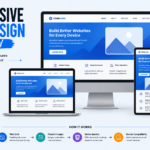
- Responsive layouts
- Touch-friendly buttons
- Fast loading
- Flexible grids
- Optimized typography
A mobile-first approach ensures a better experience for all users.
13. Bento Grid Layouts
Inspired by Japanese lunch boxes, Bento layouts organize content into visually appealing sections.
Benefits include:
- Better organization
- Easy scanning
- Modern appearance
- Flexible responsiveness
Many SaaS websites now use Bento grids to highlight features and products.
14. Glassmorphism and Soft UI
Glassmorphism continues evolving with:
- Frosted glass effects
- Soft transparency
- Layered backgrounds
- Rounded corners
- Blurred elements
When combined with subtle shadows, these designs create elegant modern interfaces.
15. Sustainable Web Design
Eco-friendly web design is becoming a priority.
Sustainable websites reduce energy consumption by:
- Compressing images
- Minimizing code
- Reducing unnecessary animations
- Using efficient hosting
- Optimizing media files
Cleaner websites are not only environmentally friendly—they’re also faster.
16. Voice User Interfaces
Voice search continues growing.
Designers are creating websites that support:
- Voice navigation
- Voice search
- Conversational interfaces
- AI assistants
Optimizing content for natural language queries improves both accessibility and SEO.
17. Advanced Search Experiences
Search bars are becoming intelligent.
Modern website search now includes:
- Autocomplete
- Predictive suggestions
- AI recommendations
- Natural language understanding
- Visual search
Users find information faster, improving overall satisfaction.
18. Privacy-Centered Design
Visitors increasingly value privacy.
Websites now emphasize:
- Transparent cookie consent
- Secure forms
- HTTPS encryption
- Minimal data collection
- Clear privacy policies
Trust has become a major component of user experience.
19. Interactive Data Visualization
Businesses increasingly use visual storytelling.
Interactive charts, maps, dashboards, and infographics help users understand complex information quickly.
Interactive content also increases engagement and time on site.
20. Human-Centered Design
Technology should never overshadow usability.
Successful websites focus on real people by offering:
- Clear navigation
- Fast interactions
- Helpful content
- Logical layouts
- Emotional connection
- Trust-building elements
The best designs solve user problems rather than simply looking attractive.
Best Practices for Following Web Design Trends
Not every trend fits every website.
Before implementing new features, ask:
- Does this improve user experience?
- Does it make navigation easier?
- Will it load quickly?
- Is it accessible?
- Does it align with my brand?
- Will it improve conversions?
Choose trends strategically rather than following every new idea.
Common Mistakes to Avoid
Even modern websites can fail if trends are misused.
Avoid:
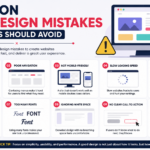
- Too many animations
- Slow-loading videos
- Poor contrast
- Complex navigation
- Overusing AI-generated content
- Ignoring accessibility
- Excessive visual effects
- Unoptimized images
Remember that simplicity often performs better than complexity.
Essential Tools for Modern Web Designers
To stay ahead in 2026, consider using:
- Figma for interface design
- WordPress for content management
- Elementor or Gutenberg for page building
- Adobe Illustrator for vector graphics
- Adobe Photoshop for image editing
- Google Fonts for typography
- PageSpeed Insights for performance optimization
- Lighthouse for accessibility and SEO audits
These tools help designers build professional, high-performing websites efficiently.
Future Predictions Beyond 2026
Looking ahead, web design is likely to become even more intelligent through advancements in AI, augmented reality, and immersive experiences. We can expect websites to understand user intent more accurately, deliver highly personalized content in real time, and seamlessly integrate with wearable devices and smart assistants. As internet infrastructure continues to improve, richer multimedia experiences will become standard without sacrificing performance.
Designers who focus on usability, accessibility, speed, and adaptability today will be well-positioned for the next wave of innovation.
Final Thoughts
Web design in 2026 is about much more than visual appeal. It combines creativity, technology, accessibility, speed, personalization, and user-centered thinking to create memorable digital experiences.
While trends will continue to evolve, the core principles remain the same: build websites that are fast, intuitive, inclusive, and genuinely helpful to users.
Whether you’re redesigning an existing site or starting a new project, embracing these trends thoughtfully can improve user engagement, strengthen your brand, and increase conversions.
The future of web design is not just about following trends—it’s about creating meaningful experiences that stand the test of time.
Frequently Asked Questions (FAQs)
What is the biggest web design trend in 2026?
AI-powered personalization is one of the most influential trends, enabling websites to tailor content and experiences to individual users.
Is minimalism still popular?
Yes. Purposeful minimalism remains popular because it improves readability, performance, and usability across devices.
Why is accessibility important?
Accessible websites provide a better experience for everyone, help meet legal requirements in many regions, and often improve SEO.
How can I make my website future-proof?
Focus on responsive design, fast performance, accessibility, security, high-quality content, and scalable technologies rather than chasing every design trend.
Do web design trends affect SEO?
Absolutely. Faster loading times, mobile-first design, accessible markup, intuitive navigation, and better user experience all contribute to improved search engine rankings.
