




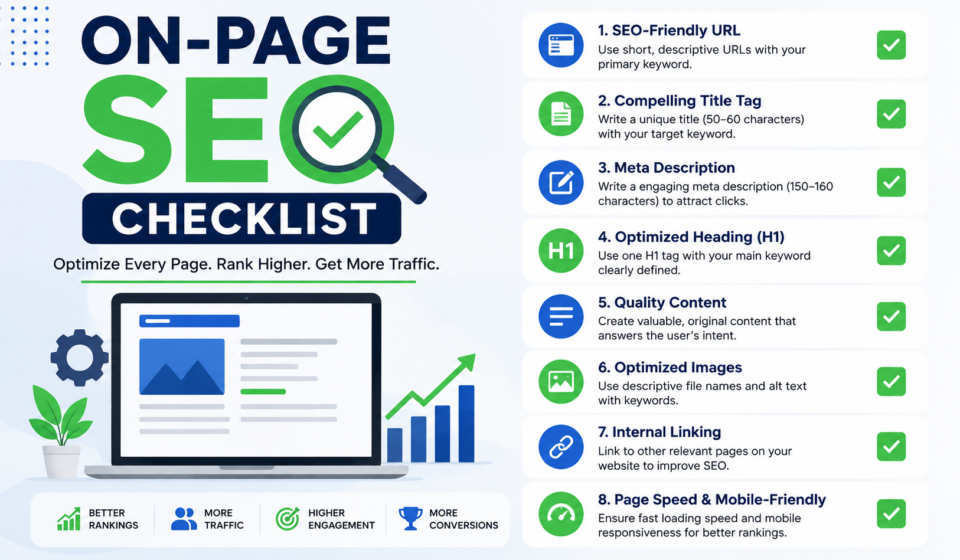
On-Page SEO Checklist
Search engine optimization (SEO) is one of the most effective ways to drive consistent, free traffic to your website. While off-page SEO and technical SEO are important, on-page SEO is the foundation of every successful website.
Whether you’re running a blog, business website, eCommerce store, or portfolio, properly optimizing each page helps search engines understand your content while providing a better experience for visitors.
This comprehensive on-page SEO checklist walks you through every important optimization step you should complete before publishing any page or blog post.
What Is On-Page SEO?
On-page SEO is the process of optimizing individual web pages so they rank higher in search engine results and attract relevant visitors.
Unlike off-page SEO, which focuses on backlinks and external signals, on-page SEO involves elements you control, including:
- Content quality
- Keywords
- Titles
- Meta descriptions
- Headings
- Images
- URLs
- Internal links
- User experience
- Page speed
When all these elements work together, search engines can better understand your content and determine when it should appear in search results.
Why Is On-Page SEO Important?
Proper on-page optimization helps:
- Increase organic traffic
- Improve keyword rankings
- Reduce bounce rates
- Improve user experience
- Increase conversions
- Build website authority
- Help Google understand your content
Even the best-written article may never rank if it’s poorly optimized.
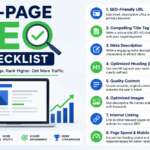
Complete On-Page SEO Checklist
Let’s go through every important item.
1. Perform Keyword Research
Everything starts with choosing the right keyword.
Look for keywords with:
- Good search volume
- Low to medium competition
- Clear search intent
- Relevance to your audience
Instead of targeting broad keywords, consider long-tail keywords because they are often easier to rank for.
Example:
Instead of:
SEO
Use:
On-Page SEO Checklist for Beginners
Useful keyword research tools include:
- Google Keyword Planner
- Ubersuggest
- Ahrefs
- SEMrush
- Google Search Console
2. Understand Search Intent
Ask yourself:
What is the user actually looking for?
Common search intent includes:
- Informational
- Navigational
- Transactional
- Commercial Investigation
Your content should match the user’s expectation.
Someone searching “On-Page SEO Checklist” expects a detailed guide—not a sales page.
3. Write an SEO-Friendly Title
Your title should:
- Include the primary keyword
- Be engaging
- Stay under 60 characters
- Encourage clicks
Examples:
✓ On-Page SEO Checklist: Complete Guide
✓ 20-Step On-Page SEO Checklist for Beginners
Avoid keyword stuffing.
4. Optimize the URL
Keep URLs:
- Short
- Readable
- Descriptive
- Keyword-focused
Good:
yourwebsite.com/on-page-seo-checklist
Bad:
yourwebsite.com/post?id=45289&page=seo-checklist-new-version
5. Write a Compelling Meta Description
Although meta descriptions aren’t a direct ranking factor, they improve click-through rates.
Best practices:
- Around 140–160 characters
- Include the keyword naturally
- Explain the page’s value
- Add a call to action
Example:
Learn the complete on-page SEO checklist to optimize every page, improve rankings, increase traffic, and grow your website faster.
6. Use One H1 Heading
Every page should contain only one H1 tag.
Usually, your post title serves as the H1.
Example:
On-Page SEO Checklist
7. Organize Content with H2 and H3 Headings
Headings improve:
- Readability
- SEO
- User experience
Structure like this:
H1
H2
H3
H3
H2
H3
This helps both users and search engines understand your content.
8. Place Your Primary Keyword Naturally
Include your primary keyword in:
- Title
- First paragraph
- At least one H2
- URL
- Meta description
- Image alt text
- Conclusion
Avoid overusing it.
Google values natural language.
9. Use Related Keywords
Instead of repeating one keyword, include related terms.
Examples:
- SEO checklist
- On-page optimization
- Search engine optimization
- Website optimization
- SEO best practices
- Google ranking
- Content optimization
This helps cover the topic comprehensively.
10. Write High-Quality Content
Google rewards content that is:
- Original
- Helpful
- Accurate
- Well-researched
- Comprehensive
Aim to answer all major questions users might have about the topic.
11. Optimize Your Introduction
The first paragraph should:
- Grab attention
- Explain the topic
- Include the keyword
- Encourage readers to continue
A strong introduction improves engagement.
12. Improve Readability
Readable content performs better.
Use:
- Short paragraphs
- Bullet points
- Numbered lists
- Clear headings
- Simple language
- Plenty of white space
Remember:
People scan before they read.
13. Add Internal Links
Internal links help users discover more content while spreading authority across your website.
Examples:
Link to articles about:
- Technical SEO
- Keyword Research
- Local SEO
- Link Building
- WordPress SEO
Aim for 3–8 relevant internal links per article, depending on length.
14. Include External Links
Link to trustworthy sources when supporting facts or providing additional context.
Choose reputable websites such as:
- Google Search Central
- Industry research organizations
- Official documentation
This can enhance credibility.
15. Optimize Images
Images improve user engagement but should also be optimized.
Checklist:
✓ Compress images
✓ Use descriptive filenames
✓ Add alt text
✓ Choose modern formats like WebP when appropriate
✓ Scale images appropriately
Example filename:
on-page-seo-checklist.webp
Alt text:
On-Page SEO Checklist infographic
16. Improve Page Speed
Page speed is an important ranking factor and user experience signal.
Improve speed by:
- Compressing images
- Using caching
- Enabling lazy loading
- Minimizing CSS and JavaScript
- Using a Content Delivery Network (CDN)
- Choosing quality hosting
Fast pages reduce bounce rates.
17. Make Your Website Mobile-Friendly
Most searches happen on mobile devices.
Ensure:
- Responsive design
- Readable text
- Touch-friendly buttons
- Fast loading
- No horizontal scrolling
Google primarily evaluates the mobile version of your site for indexing.
18. Use Schema Markup
Structured data helps search engines better understand your content.
Common schema types include:
- Article
- FAQ
- Breadcrumb
- Organization
- Local Business
- Product
Schema can increase the chances of earning rich search results.
19. Add FAQ Sections
Frequently Asked Questions improve user experience and help target additional long-tail queries.
Examples:
What is on-page SEO?
How often should I update SEO?
Does keyword density matter?
Can I rank without backlinks?
20. Optimize for Featured Snippets
Featured snippets often appear above regular search results.
Improve your chances by:
- Answering questions directly
- Using numbered lists
- Creating comparison tables
- Defining terms clearly
- Keeping answers concise before expanding
21. Add a Strong Call to Action
Every article should guide readers toward the next step.
Examples:
- Subscribe to the newsletter
- Contact your business
- Download a free guide
- Read another article
- Share the post
22. Check for Duplicate Content
Duplicate content can confuse search engines.
Ensure every page has:
- Unique titles
- Original content
- Distinct meta descriptions
- Canonical tags where appropriate
23. Proofread Before Publishing
Review your article for:
- Grammar
- Spelling
- Formatting
- Broken links
- Image issues
- Heading hierarchy
A polished article builds credibility.
24. Optimize for User Experience (UX)
Search engines increasingly reward websites that provide a positive user experience.
Focus on:
- Easy navigation
- Clear menus
- Logical content flow
- Readable fonts
- Accessible design
- Minimal intrusive pop-ups
Good UX keeps visitors engaged longer.
25. Monitor Performance After Publishing
SEO doesn’t end when you hit “Publish.”
Track:
- Organic traffic
- Keyword rankings
- Click-through rate (CTR)
- Bounce rate
- Average engagement time
- Conversions
Use tools like Google Search Console and analytics software to identify opportunities for improvement.
Quick On-Page SEO Checklist
Before publishing, confirm that you have:
- ✅ Targeted the right keyword
- ✅ Matched search intent
- ✅ Written an optimized title
- ✅ Created a clean URL
- ✅ Added a compelling meta description
- ✅ Used one H1 heading
- ✅ Organized content with H2s and H3s
- ✅ Included the primary keyword naturally
- ✅ Added related keywords
- ✅ Produced high-quality, original content
- ✅ Improved readability
- ✅ Added internal links
- ✅ Included relevant external links
- ✅ Optimized images and alt text
- ✅ Improved page speed
- ✅ Ensured mobile responsiveness
- ✅ Implemented schema markup where appropriate
- ✅ Added FAQs
- ✅ Optimized for featured snippets
- ✅ Included a clear call to action
- ✅ Checked for duplicate content
- ✅ Proofread the article
- ✅ Tested user experience
- ✅ Planned ongoing performance monitoring
Common On-Page SEO Mistakes
Avoid these frequent issues:
- Keyword stuffing
- Thin or low-value content
- Missing meta descriptions
- Duplicate titles
- Broken internal links
- Slow-loading pages
- Unoptimized images
- Poor mobile usability
- Ignoring search intent
- Neglecting content updates
Regular audits can help identify and fix these problems before they impact rankings.
Final Thoughts
On-page SEO is not about tricking search engines—it’s about making your content easier for both people and search engines to understand. By following this checklist consistently, you’ll build pages that are informative, accessible, and better positioned to rank over time.
Treat this checklist as part of your publishing workflow. Before every post goes live, review each item to ensure you’ve covered the essentials. Consistent optimization across your website can lead to stronger visibility, increased organic traffic, and a better experience for your audience.
Whether you’re a beginner learning SEO or an experienced WordPress user refining your strategy, mastering on-page SEO remains one of the highest-impact investments you can make in your website’s long-term success.
