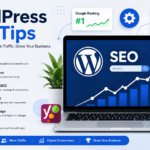
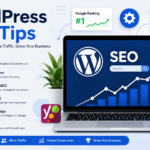





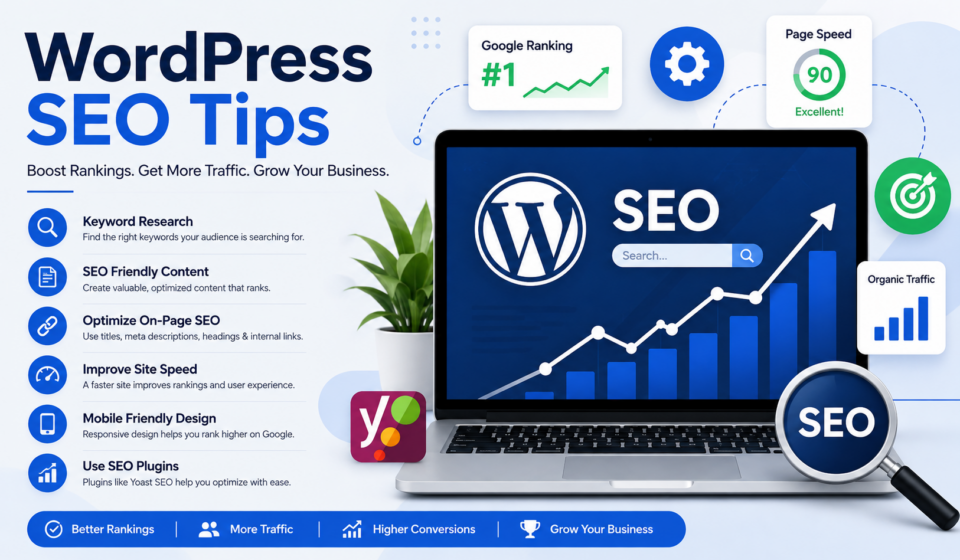
WordPress SEO Tips
Search Engine Optimization (SEO) is one of the most valuable digital marketing skills you can learn. Whether you own a personal blog, business website, eCommerce store, or portfolio, SEO helps people find your content through search engines like Google, Bing, and Yahoo.
WordPress is widely recognized as one of the most SEO-friendly content management systems (CMS). However, simply installing WordPress doesn’t guarantee high rankings. You need to optimize your website properly to achieve consistent organic traffic.
In this guide, you’ll discover the most effective WordPress SEO tips that can significantly improve your website’s visibility, increase search engine rankings, and attract targeted visitors. Whether you’re a beginner or an experienced WordPress user, these proven strategies will help you build a strong SEO foundation.
What is WordPress SEO?
WordPress SEO refers to the process of optimizing a WordPress website so that search engines can better understand, index, and rank its content.
SEO involves improving various aspects of your website, including:
- Website speed
- Content quality
- Keywords
- Mobile responsiveness
- Internal linking
- Technical optimization
- User experience
The goal is simple:
Get more organic traffic without paying for advertisements.
Why SEO Matters
SEO provides long-term benefits that paid advertising cannot match.
Some major advantages include:
- Free organic traffic
- Higher brand visibility
- Better user experience
- Increased credibility
- More leads and sales
- Higher ROI over time
Studies consistently show that the majority of users click one of the first few search results, making strong rankings incredibly valuable.
1. Choose SEO-Friendly Web Hosting
Website speed begins with your hosting provider.
A fast hosting service improves:
- Loading speed
- Uptime
- Security
- Overall user experience
Choose hosting that offers:
- SSD storage
- PHP 8+
- HTTP/2 or HTTP/3
- Server-side caching
- Free SSL certificate
- Daily backups
Poor hosting can negatively affect rankings, regardless of how well your site is optimized.
2. Install an SEO Plugin
An SEO plugin makes optimization much easier.
Popular choices include:
- Yoast SEO
- Rank Math
- All in One SEO
These plugins help you:
- Edit meta titles
- Write meta descriptions
- Generate XML sitemaps
- Add schema markup
- Optimize social sharing
- Improve readability
Avoid installing multiple SEO plugins simultaneously, as they may conflict.
3. Use an SEO-Friendly Theme
Not every WordPress theme is built for performance.
A good SEO theme should be:
- Lightweight
- Mobile responsive
- Fast loading
- Properly coded
- Accessibility-friendly
Heavy themes with unnecessary animations often slow down websites.
4. Enable Pretty Permalinks
Instead of URLs like:
example.com/?p=123Use:
example.com/wordpress-seo-tips/Go to:
Settings → Permalinks
Choose:
Post Name
This makes URLs easier for both users and search engines.
5. Perform Proper Keyword Research
Every successful article starts with keyword research.
Use tools like:
- Google Keyword Planner
- Google Search Console
- Google Trends
- Ubersuggest
- Ahrefs
- SEMrush
Look for keywords with:
- High search volume
- Low competition
- Strong search intent
Example:
Primary keyword:
WordPress SEO Tips
Related keywords:
- WordPress SEO Guide
- Improve WordPress SEO
- WordPress Search Optimization
- SEO for Beginners
- WordPress Ranking Tips
6. Optimize Your Title
Your title is often the first thing users see.
Good title example:
25 WordPress SEO Tips to Rank Higher in Google (2026 Guide)
A strong title should:
- Include the main keyword
- Be under 60 characters when possible
- Encourage clicks
- Clearly explain the topic
7. Write an Engaging Meta Description
A compelling meta description increases click-through rates.
Example:
Learn the best WordPress SEO tips to improve rankings, increase organic traffic, and optimize your website for Google in this complete beginner-friendly guide.
Keep it around 140–160 characters.
8. Use Headings Correctly
Organize your content with headings.
Structure:
- H1
- H2
- H3
- H4
Never use multiple H1 headings on a page.
Clear headings improve readability and help search engines understand your content.
9. Publish High-Quality Content
Google rewards useful content.
Your articles should:
- Answer user questions
- Solve problems
- Be original
- Be well researched
- Include examples
- Be easy to read
Long-form content often performs better when it provides genuine value.
10. Optimize Images
Images improve user engagement but can slow your site if not optimized.
Best practices:
- Compress images
- Use descriptive filenames
- Add ALT text
- Choose WebP when possible
- Use lazy loading
Example ALT text:
“WordPress SEO tips dashboard showing optimization settings.”
11. Improve Website Speed
Page speed is a confirmed ranking factor.
Ways to improve speed:
- Cache pages
- Compress CSS and JavaScript
- Minify HTML
- Optimize images
- Remove unused plugins
- Use a CDN
- Upgrade PHP
Fast websites also improve user satisfaction.
12. Make Your Website Mobile-Friendly
Google primarily uses the mobile version of websites for indexing.
Ensure your website:
- Works on all devices
- Uses responsive layouts
- Has readable fonts
- Features tap-friendly buttons
- Loads quickly on mobile networks
13. Build Internal Links
Internal linking helps search engines understand your site’s structure.
Example:
An article about WordPress SEO Tips can naturally link to:
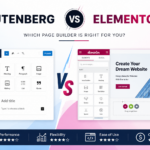
- Gutenberg vs Elementor
- Responsive Web Design Explained
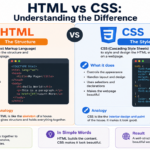
- HTML vs CSS
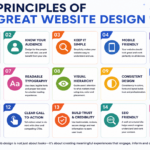
- Website Design Principles
Internal links distribute authority across your website and keep visitors engaged longer.
14. Add External Links
Linking to trustworthy sources increases credibility.
Examples include:
- Google documentation
- WordPress documentation
- Industry-leading blogs
- Research reports
Use external links only when they genuinely enhance the content.
15. Optimize for Featured Snippets
Google often displays quick answers above regular search results.
To improve your chances:
- Use numbered lists
- Write concise definitions
- Create FAQ sections
- Use tables where appropriate
- Answer common questions directly
16. Create XML Sitemaps
XML sitemaps help search engines discover your pages.
Most SEO plugins generate them automatically.
Submit your sitemap to Google Search Console for faster indexing.
17. Use HTTPS
Secure websites rank better than unsecured ones.
Install an SSL certificate so your website uses:
https://instead of
http://Most hosting providers offer free SSL certificates.
18. Remove Broken Links
Broken links hurt user experience and waste crawl budget.
Regularly check for:
- Missing pages
- Redirect loops
- Outdated external links
Fix or redirect them promptly.
19. Optimize Categories and Tags
Keep your taxonomy organized.
Tips:
- Create meaningful categories
- Avoid excessive tags
- Prevent duplicate content
- Use descriptive category names
A clean site structure helps users and search engines navigate your content.
20. Focus on User Experience
Google increasingly rewards websites that provide excellent user experiences.
Improve:
- Navigation
- Readability
- Page layout
- Accessibility
- Visual hierarchy
- Loading speed
Visitors should quickly find the information they need.
21. Reduce Plugin Bloat
Too many plugins can:
- Slow your website
- Increase security risks
- Create conflicts
- Hurt SEO
Keep only the plugins you actively use and update them regularly.
22. Optimize for Core Web Vitals
Core Web Vitals measure real-world user experience.
Focus on improving:
- Largest Contentful Paint (LCP)
- Interaction to Next Paint (INP)
- Cumulative Layout Shift (CLS)
Optimizing these metrics can improve both usability and search performance.
23. Regularly Update Content
SEO is not a one-time task.
Refresh older posts by:
- Updating statistics
- Adding new information
- Improving images
- Fixing broken links
- Expanding sections
- Updating screenshots
Fresh content often performs better in search results.
24. Monitor Performance
Track your SEO progress using:
- Google Search Console
- Google Analytics
- Bing Webmaster Tools
Monitor:
- Organic traffic
- Keyword rankings
- Click-through rate (CTR)
- Bounce rate
- Indexed pages
- Top-performing content
Use these insights to refine your strategy.
25. Be Patient and Consistent
SEO takes time.
Most websites need several months of consistent effort before seeing significant improvements.
Keep publishing valuable content, optimizing your pages, and monitoring results. Small improvements made consistently often lead to substantial long-term growth.
Common WordPress SEO Mistakes
Avoid these frequent errors:
- Keyword stuffing
- Duplicate content
- Slow website speed
- Missing meta descriptions
- Thin content
- Poor internal linking
- Ignoring mobile optimization
- Not using image ALT text
- Broken links
- Outdated plugins
WordPress SEO Checklist
Before publishing any article, make sure you:
- ✔ Target one primary keyword
- ✔ Write a compelling title
- ✔ Add a meta description
- ✔ Use H2 and H3 headings
- ✔ Optimize images
- ✔ Add ALT text
- ✔ Include internal links
- ✔ Link to authoritative sources when relevant
- ✔ Keep URLs short and descriptive
- ✔ Ensure mobile responsiveness
- ✔ Check spelling and grammar
- ✔ Preview the page on desktop and mobile
Frequently Asked Questions (FAQ)
Is WordPress good for SEO?
Yes. WordPress provides a strong foundation for SEO thanks to its clean code, customizable permalinks, and wide range of optimization plugins.
Which SEO plugin is best for WordPress?
Yoast SEO, Rank Math, and All in One SEO are all excellent choices. The best option depends on your workflow and feature preferences.
How long does SEO take?
Results typically begin to appear within 3–6 months, though this varies depending on your competition, content quality, and site authority.
Does website speed affect SEO?
Yes. Faster websites generally provide a better user experience and can improve search rankings.
Can I do SEO without coding?
Absolutely. Most WordPress SEO tasks can be completed using built-in settings and reputable plugins without writing code.
Final Thoughts
WordPress offers an excellent platform for building search-friendly websites, but success depends on how well you optimize your content and technical setup. By choosing quality hosting, using an SEO plugin, publishing valuable content, improving page speed, optimizing images, and maintaining a user-focused website, you can steadily improve your visibility in search results.
Remember that SEO is an ongoing process rather than a one-time task. Regularly updating your content, monitoring performance, and adapting to search engine best practices will help you build sustainable organic traffic over time. Focus on creating genuinely helpful content for your audience, and the rankings will follow.
Keyword: WordPress SEO Tips
Suggested SEO Title: 25 WordPress SEO Tips to Rank Higher in Google (Complete 2026 Guide)
Suggested Slug: wordpress-seo-tips
Meta Description (≈150 characters): Learn the best WordPress SEO tips to improve rankings, boost organic traffic, optimize site performance, and grow your website with proven strategies.
