




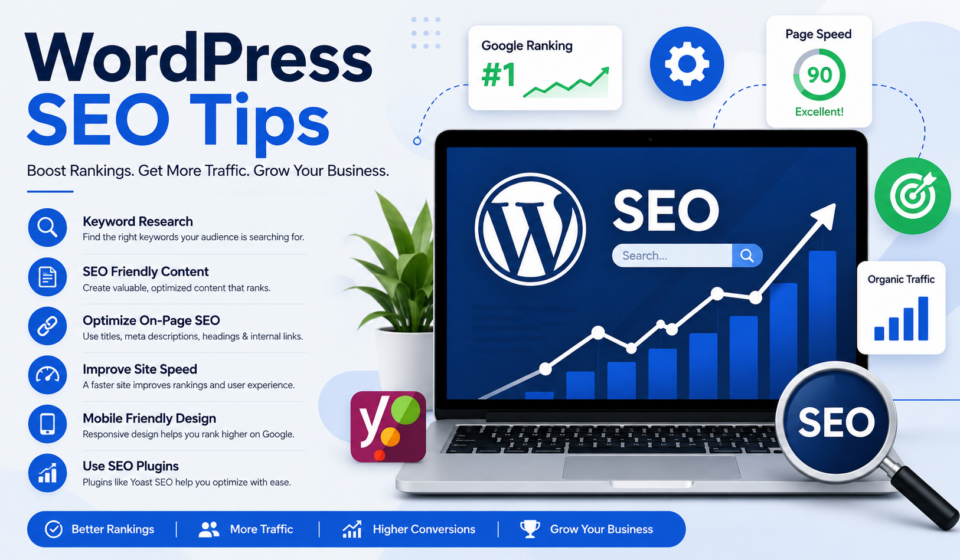
SEO Explained for Beginners
Have you ever wondered why some websites appear at the top of Google while others remain buried on the tenth page? The answer is often Search Engine Optimization (SEO).
SEO is one of the most valuable digital marketing skills you can learn. Whether you’re a blogger, freelancer, business owner, web designer, or digital marketer, understanding SEO can help you attract more visitors without paying for ads.
The best part? You don’t need to be a technical expert to get started.
This beginner’s guide explains SEO in simple language. You’ll learn what SEO is, how search engines work, why SEO matters, and the essential techniques you can use to improve your website’s rankings.
Let’s begin.
What Is SEO?
SEO (Search Engine Optimization) is the process of improving your website so that it appears higher in search engine results when people search for topics related to your content.
For example, if you own a web design business and someone searches for:
- Web designer in Bangladesh
- WordPress expert
- Affordable website design
Good SEO increases the chances that your website will appear near the top of Google’s search results.
The higher your website ranks, the more visitors you’ll receive.
SEO focuses on attracting organic traffic, which means visitors who find your website naturally rather than through paid advertisements.
Why Is SEO Important?
Imagine opening a beautiful store in the middle of a desert.
No matter how amazing your products are, nobody will visit because they don’t know your store exists.
Your website works the same way.
SEO helps people discover your website.
Benefits include:
- More website traffic
- Better brand awareness
- Higher credibility
- Increased leads
- More sales
- Long-term growth
- Lower marketing costs
Unlike paid advertising, SEO continues to bring visitors long after your content has been published.
How Search Engines Work
Search engines like Google follow three major steps.
1. Crawling
Google uses bots (also called spiders) to discover new pages across the internet.
These bots continuously visit websites looking for new content.
2. Indexing
After discovering a page, Google stores information about it in its massive database called the index.
If your page isn’t indexed, it won’t appear in search results.
3. Ranking
When someone searches for something, Google decides which pages provide the best answer.
It compares thousands of pages based on hundreds of ranking factors.
Then it displays the best results first.
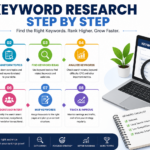
What Are Keywords?
Keywords are the words and phrases people type into search engines.
Examples include:
- Best WordPress themes
- SEO tips
- Learn web design
- How to create a website
Your goal is to create content that answers these searches.
Types of Keywords
Short-Tail Keywords
Examples:
- SEO
- WordPress
- Website
These have high search volume but are very competitive.
Long-Tail Keywords
Examples:
- SEO explained for beginners
- Best WordPress SEO plugin
- How to improve Google rankings
Long-tail keywords are easier to rank for and usually attract more targeted visitors.
Beginners should focus on long-tail keywords.
On-Page SEO
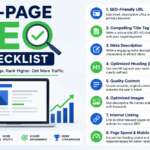
On-page SEO refers to everything you optimize on your website.
Important elements include:
Page Title
Your page title should:
- Include your main keyword
- Be under 60 characters
- Be attractive enough to earn clicks
Example:
SEO Explained for Beginners | Complete Guide
Meta Description
The meta description is the summary displayed in search results.
Keep it around 140–160 characters.
Example:
Learn SEO from scratch with this beginner-friendly guide covering keywords, on-page SEO, technical SEO, and ranking tips.
URL Structure
Good URL:
yourwebsite.com/seo-explained-beginners
Bad URL:
yourwebsite.com/post?id=5678
Use short, descriptive URLs.
Headings
Use headings properly.
- H1 for the title
- H2 for main sections
- H3 for subtopics
This improves readability for users and search engines.
Keyword Placement
Include your primary keyword naturally in:
- Title
- First paragraph
- Headings
- URL
- Meta description
- Image alt text
- Throughout the article
Avoid keyword stuffing.
Content Quality Matters
Google rewards helpful content.
Create articles that are:
- Original
- Informative
- Easy to read
- Well-structured
- Updated regularly
Focus on solving readers’ problems instead of writing only for search engines.
Image Optimization
Images improve user experience, but they should also be optimized.
Best practices:
- Compress image size
- Use descriptive filenames
- Add alt text
- Choose modern formats like WebP where possible
Example filename:
seo-explained-for-beginners.webp
Internal Linking
Internal links connect one page of your website to another.
Benefits include:
- Better navigation
- Improved SEO
- More page views
- Faster indexing
Example:
A blog about SEO can link to another article about WordPress optimization.
External Links
Linking to trustworthy websites improves credibility.
Use authoritative sources whenever possible.
Examples include:
- Google Search Central
- Mozilla Developer Network
- WordPress.org
Technical SEO
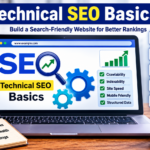
Technical SEO ensures search engines can access and understand your website.
Important factors include:
Website Speed
Fast websites rank better.
Improve speed by:
- Compressing images
- Using caching
- Choosing quality hosting
- Minimizing CSS and JavaScript
- Using a Content Delivery Network (CDN)
Mobile Friendliness
Most users browse on smartphones.
Your website should work perfectly on all devices.
Use responsive web design.
HTTPS Security
Secure websites use HTTPS instead of HTTP.
Google considers HTTPS a ranking factor.
XML Sitemap
An XML sitemap tells search engines about your pages.
Submit it through Google Search Console.
Robots.txt
The robots.txt file tells search engines which pages they should or shouldn’t crawl.
Off-Page SEO
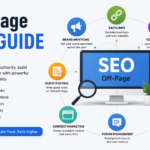
Off-page SEO involves actions outside your website.
The biggest factor is backlinks.
What Are Backlinks?
Backlinks are links from other websites pointing to yours.
Think of them as recommendations.
The more quality backlinks you earn, the more trustworthy your website appears.
However, quality matters far more than quantity.
One link from a respected website is often worth more than dozens of low-quality links.
Ways to Build Backlinks
You can earn backlinks by:
- Writing guest posts
- Creating helpful content
- Publishing original research
- Designing useful tools
- Building relationships
- Sharing infographics
Avoid buying backlinks because they can lead to Google penalties.
User Experience and SEO
Google wants users to enjoy visiting websites.
Improve user experience by:
- Using readable fonts
- Fast loading pages
- Simple navigation
- Clean layouts
- Helpful content
- Clear calls-to-action
A positive user experience often improves rankings.
Core Web Vitals
Google measures user experience using Core Web Vitals.
The three main metrics are:
Largest Contentful Paint (LCP)
Measures loading performance.
Aim for under 2.5 seconds.
Interaction to Next Paint (INP)
Measures responsiveness.
A fast response creates a smoother experience.
Cumulative Layout Shift (CLS)
Measures visual stability.
Pages should not unexpectedly move while loading.
Local SEO
If you serve customers in a specific area, local SEO is essential.
Examples include:
- Restaurants
- Doctors
- Lawyers
- Web designers
- Digital marketers
Local SEO includes:
- Creating a Google Business Profile
- Collecting customer reviews
- Using local keywords
- Keeping contact information consistent
- Embedding Google Maps
SEO Tools Beginners Should Use
Google Search Console
Free tool for monitoring search performance.
Features include:
- Index status
- Search queries
- Clicks
- Impressions
- Technical issues
Google Analytics
Tracks website visitors.
You’ll learn:
- Traffic sources
- User behavior
- Popular pages
- Conversions
Yoast SEO
One of the best WordPress SEO plugins.
It helps optimize:
- Titles
- Meta descriptions
- Readability
- XML sitemaps
Rank Math
Another popular SEO plugin with many advanced features.
Ideal for WordPress users.
Google Keyword Planner
Useful for keyword research.
Although designed for advertisers, it’s also valuable for SEO.
Common SEO Mistakes Beginners Make
Avoid these mistakes:
- Keyword stuffing
- Duplicate content
- Slow websites
- Ignoring mobile users
- Missing meta descriptions
- Broken links
- Thin content
- Poor navigation
- Low-quality backlinks
- Publishing without keyword research
How Long Does SEO Take?
SEO is a long-term strategy.
Most websites begin seeing noticeable improvements within:
- 3–6 months for less competitive niches
- 6–12 months for more competitive industries
Consistency is the key.
Publish quality content regularly and continue optimizing your website.
Simple SEO Checklist
Before publishing a post, check that you have:
- A primary keyword
- An engaging title
- A compelling meta description
- A short URL
- Proper headings
- Internal links
- External links
- Optimized images
- Mobile-friendly design
- Fast loading speed
- Clear call-to-action
Future Trends in SEO
SEO continues to evolve.
Important trends include:
- AI-assisted search experiences
- Voice search optimization
- High-quality, experience-based content
- Video SEO
- Semantic search
- User experience improvements
Staying informed about these developments will help you maintain strong search visibility.
Final Thoughts
SEO may seem overwhelming at first, but it becomes much easier when you understand the basics. Focus on creating valuable content that answers your audience’s questions, optimize your pages with relevant keywords, ensure your website is fast and mobile-friendly, and build trust through quality backlinks.
Remember that SEO is a marathon, not a sprint. The most successful websites consistently publish helpful content, improve user experience, and adapt to changes in search engine algorithms. By following the principles outlined in this guide, you’ll build a strong foundation for long-term organic growth.
Start with one well-optimized article, measure its performance, and keep learning. Over time, those small improvements can lead to significant increases in traffic, leads, and business success.
Frequently Asked Questions (FAQs)
What does SEO stand for?
SEO stands for Search Engine Optimization, the practice of improving a website’s visibility in search engine results.
Is SEO free?
Yes. Organic SEO does not require paying for clicks, though it does require time, effort, and quality content.
Can beginners learn SEO?
Absolutely. With consistent practice and a focus on the fundamentals, anyone can learn SEO.
Which is better: SEO or paid ads?
Both have their place. Paid ads deliver immediate traffic, while SEO builds sustainable, long-term organic traffic.
Does WordPress help with SEO?
Yes. WordPress offers excellent SEO capabilities, especially when paired with plugins such as Yoast SEO or Rank Math and a well-optimized theme.
