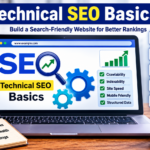






Technical SEO Basics
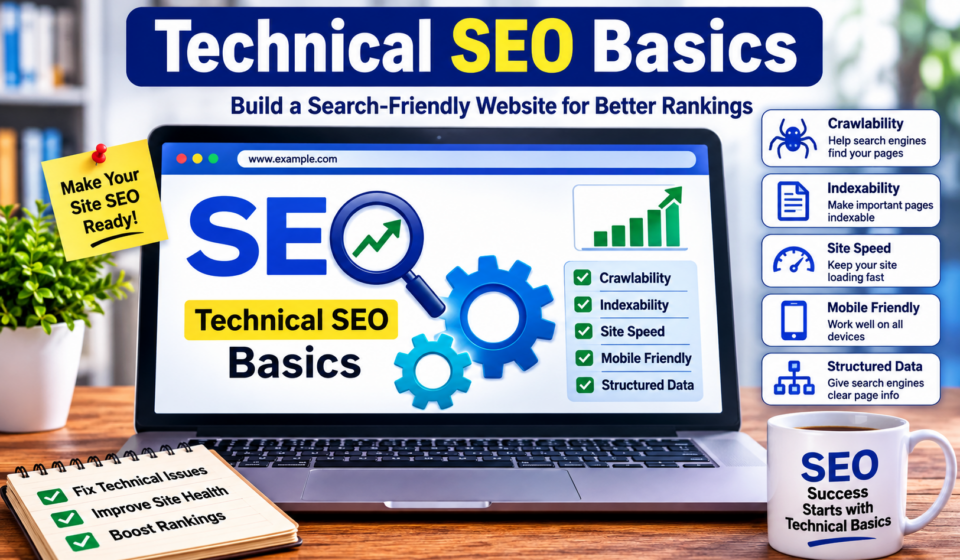
Technical SEO is the foundation of every successful website. You can publish the best content in your niche and build high-quality backlinks, but if search engines cannot crawl, understand, or index your website properly, your rankings will suffer.
Many beginners focus only on keywords and content while ignoring the technical aspects that help search engines access and evaluate their websites. Technical SEO ensures that your website is fast, secure, mobile-friendly, easy to crawl, and structured correctly.
In this comprehensive guide, you’ll learn everything you need to know about technical SEO basics. Whether you’re a beginner, blogger, freelancer, or business owner, this guide will help you build a strong SEO foundation.
What Is Technical SEO?
Technical SEO refers to optimizing the technical aspects of your website so search engines can crawl, index, and rank your pages more efficiently.
Unlike content SEO, which focuses on writing quality content, or off-page SEO, which focuses on backlinks, technical SEO improves the infrastructure of your website.
Its main goals are:
- Help search engines discover pages
- Improve crawling efficiency
- Ensure proper indexing
- Increase website speed
- Improve user experience
- Enhance website security
- Reduce technical errors
Think of your website as a library.
Content is the books.
Technical SEO is the organization system that helps visitors quickly find every book.
Without proper organization, even great books remain hidden.
Why Technical SEO Matters
Google evaluates more than just content.
If your website is slow, broken, difficult to crawl, or not mobile-friendly, Google may rank competitors higher—even if your content is better.
Good technical SEO helps:
- Improve search rankings
- Increase organic traffic
- Reduce bounce rates
- Enhance user experience
- Improve Core Web Vitals
- Boost website performance
- Increase conversion rates
Technical SEO is not optional.
It is one of the three pillars of SEO:
- On-Page SEO
- Off-Page SEO
- Technical SEO
How Search Engines Work
Before learning technical SEO, understand how search engines operate.
Google follows four basic steps:
1. Crawling
Googlebot visits websites by following links.
It discovers:
- New pages
- Updated content
- Images
- PDFs
- Videos
2. Rendering
Google loads your page similar to how a browser does.
It reads:
- HTML
- CSS
- JavaScript
If JavaScript blocks important content, Google may not understand your page correctly.
3. Indexing
Google stores your pages in its database.
Only indexed pages can appear in search results.
4. Ranking
Google compares your page with millions of others.
It evaluates:
- Relevance
- Authority
- User experience
- Speed
- Mobile usability
- Freshness
- Content quality
Website Crawling Explained
Crawling is the process of discovering web pages.
Googlebot uses links to move from one page to another.
To improve crawling:
- Use internal links
- Submit XML sitemaps
- Avoid broken links
- Remove duplicate pages
- Fix redirect chains
Website Indexing
Being crawled does not guarantee indexing.
Sometimes Google crawls a page but decides not to index it.
Common reasons include:
- Thin content
- Duplicate pages
- Noindex tags
- Canonical issues
- Poor quality
- Blocked robots.txt
Use Google Search Console to check indexing status.
XML Sitemap
An XML sitemap tells search engines about all important pages on your website.
Benefits include:
- Faster discovery
- Better indexing
- Easier crawling
- Helpful for large websites
A sitemap usually contains:
- URLs
- Last modification date
- Priority
- Update frequency
Most WordPress SEO plugins generate XML sitemaps automatically.
Robots.txt
The robots.txt file tells search engines which sections of your website they can crawl.
Example:
User-agent: *
Disallow: /wp-admin/
Allow: /
Do not block important pages accidentally.
Blocking pages in robots.txt prevents crawling but does not necessarily remove them from Google’s index.
HTTPS Security
HTTPS encrypts data between users and your website.
Google considers HTTPS a ranking signal.
Benefits include:
- Improved security
- Increased trust
- Better SEO
- Protection against attacks
Always install an SSL certificate.
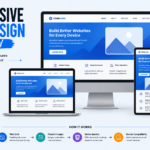
Mobile-Friendly Websites
Google uses mobile-first indexing.
This means Google primarily evaluates the mobile version of your website.
A mobile-friendly website should have:
- Responsive design
- Readable text
- Clickable buttons
- Fast loading
- Proper spacing
Use responsive WordPress themes whenever possible.
Website Speed
Page speed directly impacts:
- SEO
- User experience
- Conversions
A slow website increases bounce rates.
Ways to improve speed:
- Compress images
- Use caching
- Minify CSS
- Minify JavaScript
- Enable GZIP compression
- Use a CDN
- Remove unused plugins
Core Web Vitals
Core Web Vitals measure real user experience.
Google focuses on three metrics.
Largest Contentful Paint (LCP)
Measures loading performance.
Ideal:
Under 2.5 seconds.
Interaction to Next Paint (INP)
Measures responsiveness after user interactions.
Lower values indicate a more responsive website.
Cumulative Layout Shift (CLS)
Measures visual stability.
Avoid unexpected movement of page elements while loading.
Good CLS score:
Less than 0.1.
URL Structure
SEO-friendly URLs should be:
- Short
- Descriptive
- Keyword-rich
- Easy to read
Good:
example.com/technical-seo-basicsBad:
example.com/page?id=8349Avoid unnecessary numbers and symbols.
Canonical Tags
Duplicate content can confuse search engines.
Canonical tags tell Google which page is the preferred version.
Example:
<link rel="canonical" href="https://example.com/page/">Canonical tags help:
- Prevent duplicate content issues
- Consolidate ranking signals
- Improve indexing
Internal Linking
Internal links connect pages within your website.
Benefits:
- Better crawling
- Stronger site structure
- Improved navigation
- Increased page authority
Every important page should have internal links pointing to it.
Broken Links
Broken links create poor user experiences.
They also waste crawl budget.
Use SEO tools to identify:
- 404 pages
- Broken internal links
- Broken external links
Fix them with:
- Redirects
- Updated URLs
- Correct links
Redirects
Redirects send visitors from one URL to another.
Common types:
301 Redirect
Permanent.
Transfers most SEO value.
302 Redirect
Temporary.
Used during short-term changes.
Avoid redirect chains because they slow crawling.
Structured Data (Schema Markup)
Structured data helps search engines better understand your content.
It can generate rich results like:
- Star ratings
- FAQs
- Recipes
- Products
- Events
- Breadcrumbs
Common schema types include:
- Article
- FAQ
- Product
- Local Business
- Organization
- Breadcrumb
- Person
Many WordPress SEO plugins support schema automatically.
Breadcrumb Navigation
Breadcrumbs improve both usability and SEO.
Example:
Home → SEO → Technical SEO → XML Sitemap
Benefits:
- Better navigation
- Improved internal linking
- Enhanced search appearance
Image Optimization
Large images slow websites.
Optimize images by:
- Compressing files
- Using descriptive filenames
- Writing alt text
- Choosing WebP where supported
- Specifying width and height
Example filename:
technical-seo-basics.webpInstead of:
IMG00384.jpgDuplicate Content
Duplicate content occurs when identical or nearly identical content exists on multiple URLs.
Solutions include:
- Canonical tags
- 301 redirects
- Consistent URL structure
- Unique content
Crawl Budget
Google allocates a crawl budget for each website.
Large websites should optimize crawl efficiency by:
- Removing low-value pages
- Fixing broken links
- Eliminating duplicate content
- Maintaining clean site architecture
Pagination
Pagination divides long lists into multiple pages.
Examples:
- Blog archives
- Product categories
- Forums
Ensure paginated pages are crawlable and properly linked to preserve discoverability.
SEO-Friendly Site Architecture
An organized website helps users and search engines.
A simple structure looks like this:
Home
→ Categories
→ Subcategories
→ Articles
Try to keep important pages within three to four clicks from the homepage.
Essential Technical SEO Tools
Several free and premium tools can help monitor and improve technical SEO.
Google Search Console
- Index coverage
- Sitemap submission
- Search performance
- Crawl issues
Google Analytics
- User behavior
- Traffic analysis
- Engagement
PageSpeed Insights
- Performance reports
- Core Web Vitals
- Optimization suggestions
Screaming Frog SEO Spider
- Broken links
- Redirects
- Metadata
- Duplicate pages
GTmetrix
- Speed analysis
- Waterfall reports
- Performance insights
Common Technical SEO Mistakes
Avoid these common issues:
- Slow loading pages
- Missing XML sitemap
- Broken links
- Duplicate content
- Incorrect canonical tags
- Poor mobile experience
- Missing HTTPS
- Large image files
- Blocking important pages in robots.txt
- Orphan pages without internal links
Regular technical audits help catch these problems before they impact rankings.
Technical SEO Checklist
Use this checklist to keep your website healthy:
- HTTPS enabled
- XML sitemap submitted
- Robots.txt configured correctly
- Fast loading pages
- Mobile-friendly design
- Clean URL structure
- Internal linking optimized
- Canonical tags added
- Structured data implemented
- Broken links fixed
- Images optimized
- Core Web Vitals monitored
- Redirects managed correctly
- Crawl errors resolved
- Duplicate content minimized
Review this checklist periodically, especially after major website updates.
Final Thoughts
Technical SEO is the invisible engine that powers your website’s performance in search results. While visitors may never notice your XML sitemap or canonical tags, search engines rely on these technical signals to understand and rank your content effectively.
The good news is that you don’t need to master every advanced concept at once. Start by ensuring your website is secure, mobile-friendly, fast, and easy to crawl. Then gradually improve areas like structured data, internal linking, Core Web Vitals, and crawl optimization.
For WordPress users, many technical SEO tasks can be simplified with reputable SEO plugins, but it’s still important to understand the principles behind them. By combining solid technical SEO with high-quality content and a thoughtful link-building strategy, you’ll create a website that performs well for both users and search engines.
Investing time in technical SEO today lays the groundwork for stronger rankings, increased organic traffic, and long-term online success.
Frequently Asked Questions (FAQ)
What is technical SEO?
Technical SEO is the process of optimizing a website’s infrastructure so search engines can crawl, index, and rank its pages more efficiently.
Is technical SEO important for WordPress?
Yes. WordPress provides a strong foundation, but you still need to optimize speed, security, sitemaps, structured data, and indexing for the best SEO results.
How often should I perform a technical SEO audit?
For most websites, a technical SEO audit every three to six months is recommended. Larger or frequently updated sites may benefit from monthly checks.
Can technical SEO improve rankings?
Yes. While great content remains essential, strong technical SEO helps search engines access, understand, and evaluate your pages more effectively, which can contribute to better rankings.
Which technical SEO task should beginners do first?
Start by enabling HTTPS, submitting an XML sitemap, verifying your site in Google Search Console, improving page speed, and ensuring your website is mobile-friendly.
